Tag: Communication

  • Reblog: 6 Ways to Use Telemedicine Video Conferencing

    Telemedicine has been used for more than four decades to improve patient and physician access to healthcare services, according to the American Telemedicine Association. It also has the potential to reduce the cost and improve the quality of healthcare – while meeting a growing consumer demand for telemedical services. With such a strong set of benefits, it’s no surprise telemedicine represents a powerful business opportunity for value-added resellers in the video conferencing space.

    Telemedicine Basics

    Simply put, telemedicine is the exchange of medical information through electronic communications. With telemedicine, doctors, clinics and patients might use two-way video, email, smartphones or wireless communication to share information.

    Telemedicine Video Conferencing

    Video conferencing has fast become one of the most popular tools in telemedicine. The face-to-face capabilities of video conferencing is an ideal fit for the healthcare industry, where patients want convenience and better access but also crave connection and understanding. A growing number of physicians and patients are making use of conferencing technology for live interactive video, sharing video clips for later review, forwarding diagnostic images and more.

    When working with healthcare customers, it’s important to help them see the many different possibilities of video conferencing telemedicine. Consider the following ways the technology can be used:

    1. Improving access for remote patients.

    The No. 1 benefit of video conferencing in medicine is arguably improved access. According to the American Telemedicine Association, telemedicine has the ability to increase healthcare service to millions of new patients, from those in remote rural areas to those in crowded urban environments. Video conferencing can even be useful in disaster areas, reaching those affected by earthquakes, tsunamis and more. These patients can quickly and easily connect with doctors from around the world by taking advantage of technology that can be made available at local hospitals, clinics or relief stations.

    2. Connecting physicians from around the world.

    Video conferencing also has the ability to connect physicians with colleagues, health facilities and experts from around the world. This facilitates an unprecedented level of collaboration and knowledge-sharing that can only benefit the global health community.

    3. Providing medical education.

    Health professionals can use video conferencing to broaden their educational reach as well. Students, fellow physicians and patient advocacy groups can connect via video for seminars, meetings and even ongoing classes to share information that would otherwise be out of reach for some.

    4. Enabling more effective critical care.

    Some people struggle to travel any distance to see their doctor. Patients who are very ill, handicapped, elderly or in the late stages of pregnancy could benefit greatly from video access to health professionals. There is also great potential in pediatrics, as many children’s ailments are common and straightforward enough to be diagnosed remotely – without forcing parents to drag their sick kids to the doctor.

    5. Making mental healthcare more accessible.

    Certain fields of healthcare are even more well-suited to video conferencing than others. With a focus on doctor-patient interaction, mental health services are ideal for telemedicine through video conferencing. Doctors can connect with patients using video, which helps to broaden their reach and save patients time and money.

    6. Specialist referral services.

    Video conferencing can also expedite the specialist referral process. Using video, a primary care or allied health professional can consult with a patient or specialist, which helps them to arrive at a diagnosis and recommend a referral more quickly and recommend a referral more quickly.

    What are some of the other potential areas for video conferencing in the telemedicine field? What has been your experience with video conferencing in hospitals and other healthcare facilities?

    The original article can be found here.

    To learn more contact us sales@rincon.co.in
  • Migrating your Fax Server to XMEDIUSFAX

    Fax-over-IP is a critical component in the communications infrastructure of many organizations. It is optimized to secure and streamline their document workflows, and it helps them to achieve compliance with the security and privacy regulations that apply to their respective industry sectors.

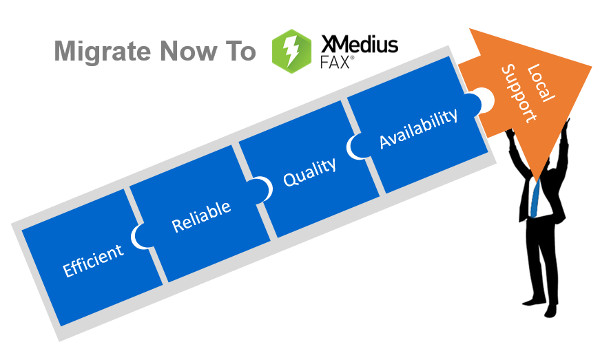
    XMediusFAX® is an ideal FoIP solution. It is a single-source, software-only technology and includes its own patented T.38 protocol, the most reliable protocol for transmitting faxes over a VoIP network. Better yet, XMediusFAX® doesn’t require a third party to enable your fax infrastructure and our R&D team has fully mastered the software and can intervene quickly if any assistance is needed. Furthermore, XMediusFAX® features shared High Availability (HA) channels that replicate information in real time. Both of its servers are active, so should one fail, the other takes over until the malfunctioning server resumes its normal workload. This ensures an uninterrupted workflow.

    Because of all these critical benefits, the XMediusFAX® solution attracts a range of organizations that are interested in implementing a superior FoIP solution.

    However, switching over from another solution can raise some concerns. One that prospective customers most often express involves migrating and preserving their existing data. In response to this concern, the XMedius team has developed a tool to help our new customers migrate from their current database* to an XMediusFAX® server while preserving all of their fax records and user information.

    Would you like more information about the migration offer of your current Fax-over-IP solution to ours?

    *Conditions Apply

    E-mail us on sales@rincon.co.in for more information and we will be glad to assist you.

  • Email – The Silent Killer?

    Estimates suggest that there are around 150 million emails sent every 60 seconds. That’s over 90 billion every hour, and more than 200 billion every day. That’s an incomprehensible amount of information, and it’s no wonder that millions of inboxes are full-to-bursting with messages.

    We have all, at one time or another, experienced the irritation of trying to locate an email we received in the past. Whether it’s a week ago or a month ago, it’s a painstaking task that has become so engrained in our working lives that we accept it as unavoidable – it’s simply a price we have to pay for the easy, instant communication methods we use.

    Everyone understands that minutes spent searching through cluttered inboxes are minutes wasted, but is there anything else, apart from irritation, that’s happening when we’re faced with email overload?

    Maybe there is. A study conducted by researchers at Loughborough University set out to investigate the physical effects email has on us. They tracked the blood pressure, heart rate and Cortisol (stress hormone) levels of 30 government employees throughout their daily work activities, while the subjects themselves kept a diary.

    Their findings were remarkable. They showed that while an email was no more stressful than a phone call, it was the volume of emails received over the course of a workday that made it by far the most stressful communication method for workers. Elevated heart rate, increased blood pressure and increased Cortisol levels were all exhibited by the subjects, which, over time, can lead to various serious long-term illnesses. It’s no great leap to assume that millions of people are in the same boat – and this was just one study, the long-term effects of email are still yet to be observed.

    Of course, the effects of email on an individual will vary depending on the content of the message itself, and the task taking place when the email arrives. The study mentioned that emails containing praise were, unsurprisingly, not stressful to the recipient. Emails that interrupted a task, or were not relevant to the recipient, however, were noted to be the most stressful.

    So what do we do? Do we delete our email clients? Correspond entirely by carrier pigeon? Perhaps, but maybe an easier solution would be to deal with email more effectively.

    Prior to working at Oasys, like most people I used bog-standard Microsoft Outlook for everything related to email. It was great, for the most part, until my mailbox reached the maximum size and I was faced with the tedious task of scanning through thousands of emails and deleting what I thought I wouldn’t need anymore. Or when I needed to reference an email that I’d received months ago, or, even worse, when I needed to reference an email sent to a colleague who had since left the business. While great for sending and receiving, when it comes to organising, storing, sharing and managing emails, Outlook leaves a lot to be desired.

    Since joining Oasys and using Mail Manager, problems like this really are a thing of the past. I can view emails categorised by topic, project or any number of variables from when Oasys first began using Mail Manager all those years ago. The entire email thread is there, including what every recipient said, when they said it, along with all the attachments. Everything is stored in one central location, not stuck in individual mailboxes, meaning if someone leaves, valuable communication data isn’t lost.

    By far the most useful feature for me is the search tool. I always found Outlook’s search results to be too broad to be meaningful, and even after searching I would need to wade through dozens of results to find the correct one. This really isn’t the case with Mail Manager, which smartly filters out anything I haven’t specifically asked it to find. All in all, it makes for a much faster, easier experience, and as we know from the Loughborough study, this can only be a good thing.

    You can’t stop an email popup derailing your thoughts at a crucial point in a document, and you can’t stem the flow of messages into your inbox, but you can take back control of your email. You can, in essence, make your working life easier.