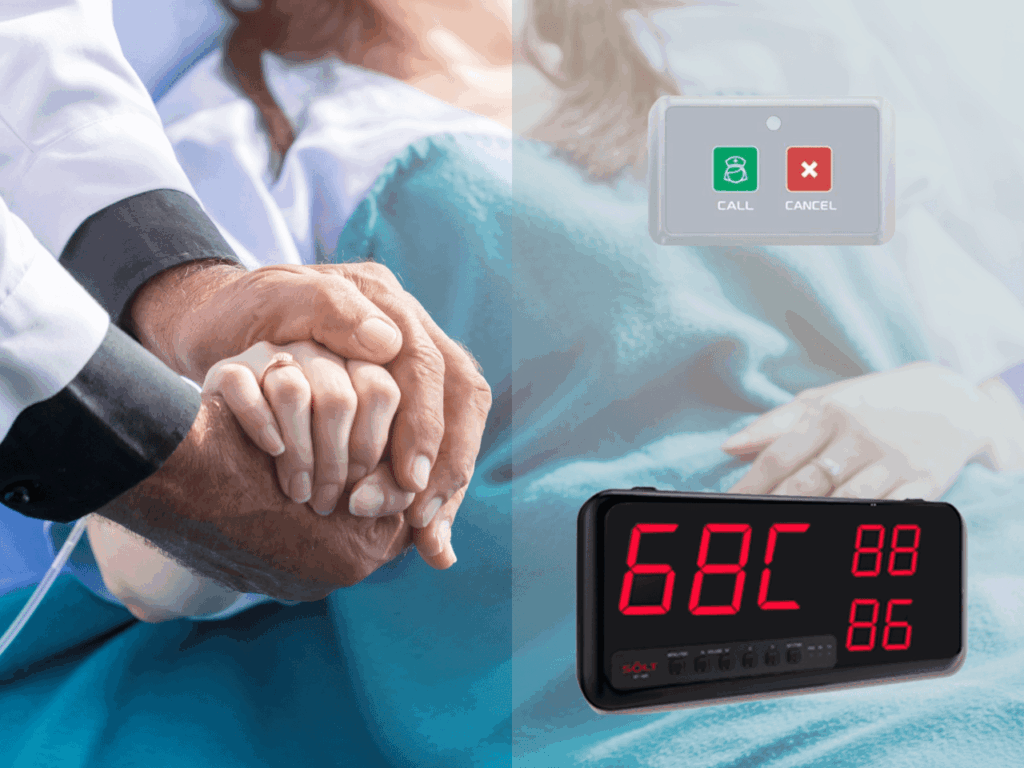
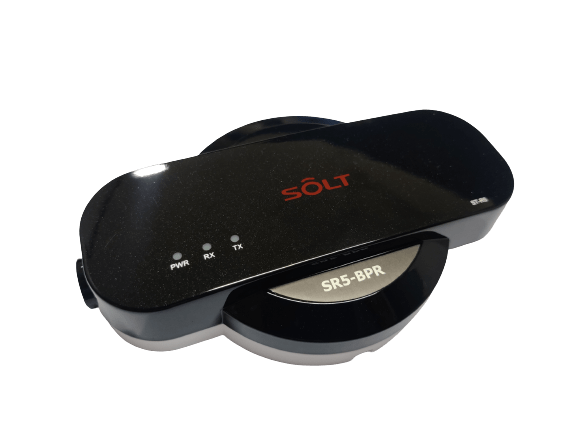
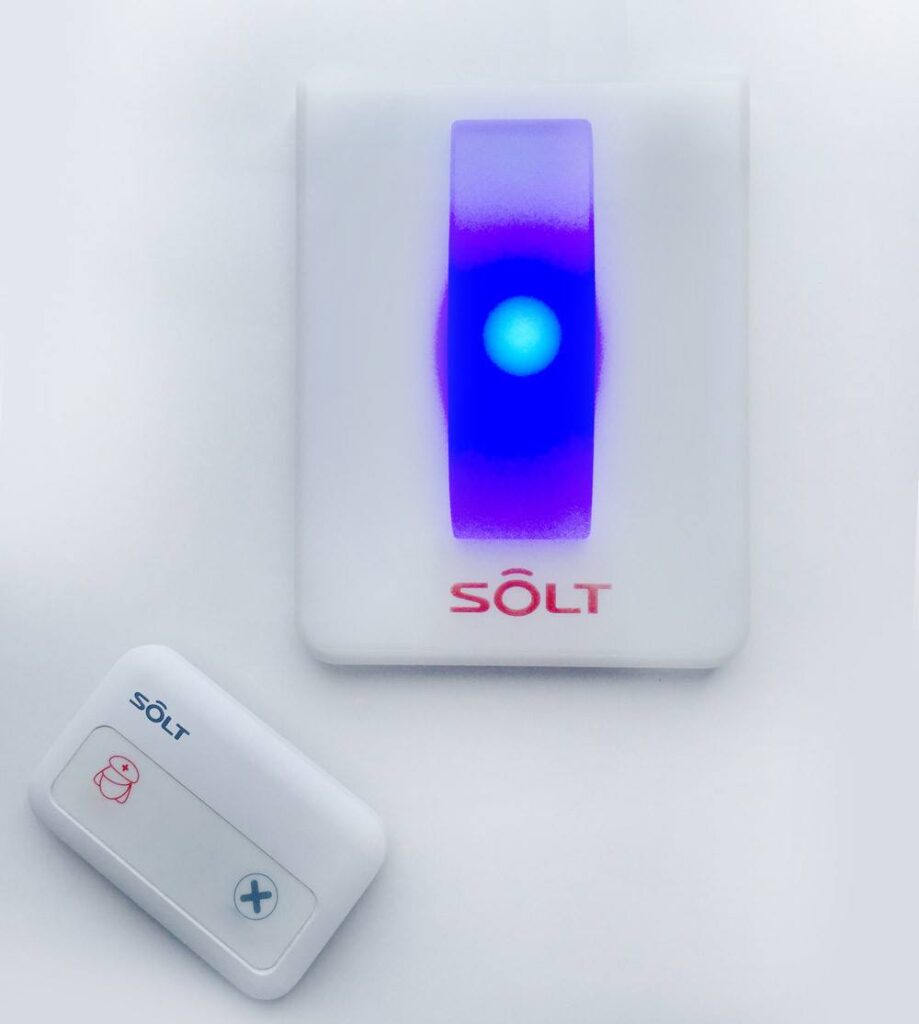
In a hospital, every second counts when it comes to patient care. Nurses and other medical staff need to be able to respond to patient needs quickly and efficiently. That’s where wireless nurse call bell systems come in.
A wireless nurse call bell system is an innovative technology that allows patients to call for assistance at the press of a button. The system comprises a set of call buttons placed strategically in patient rooms and other areas of the hospital. When a patient presses the call button, a notification is sent to the nurse’s pager or smartphone, alerting them to the patient’s needs.
This system has revolutionized the way hospitals respond to patient needs. It ensures that medical staff can respond promptly to calls for assistance, reducing patient wait times and improving the overall patient experience. The wireless nurse call bell system is not only beneficial for patients but also helps medical staff work more efficiently and effectively.
With a wireless nurse call bell system, medical staff can provide better care to their patients. They can respond to emergencies quickly and attend to patients’ needs promptly. The system also allows nurses to prioritize their workloads and allocate their time effectively.
In conclusion, wireless nurse call bell systems are a game-changer for hospitals. They improve patient care, enhance the overall patient experience, and enable medical staff to work more efficiently. Hospitals that invest in this technology will benefit from increased patient satisfaction and improved medical staff productivity.
Contact us at +91 9321064487 or sales@rincon.co.in.
In today’s fast-paced business environment, effective communication is essential for maximizing productivity and efficiency. However, it can be challenging to get the attention of the pantry staff in conference rooms or the office assistant from within the cabin, especially when you’re in the middle of an important meeting or task.
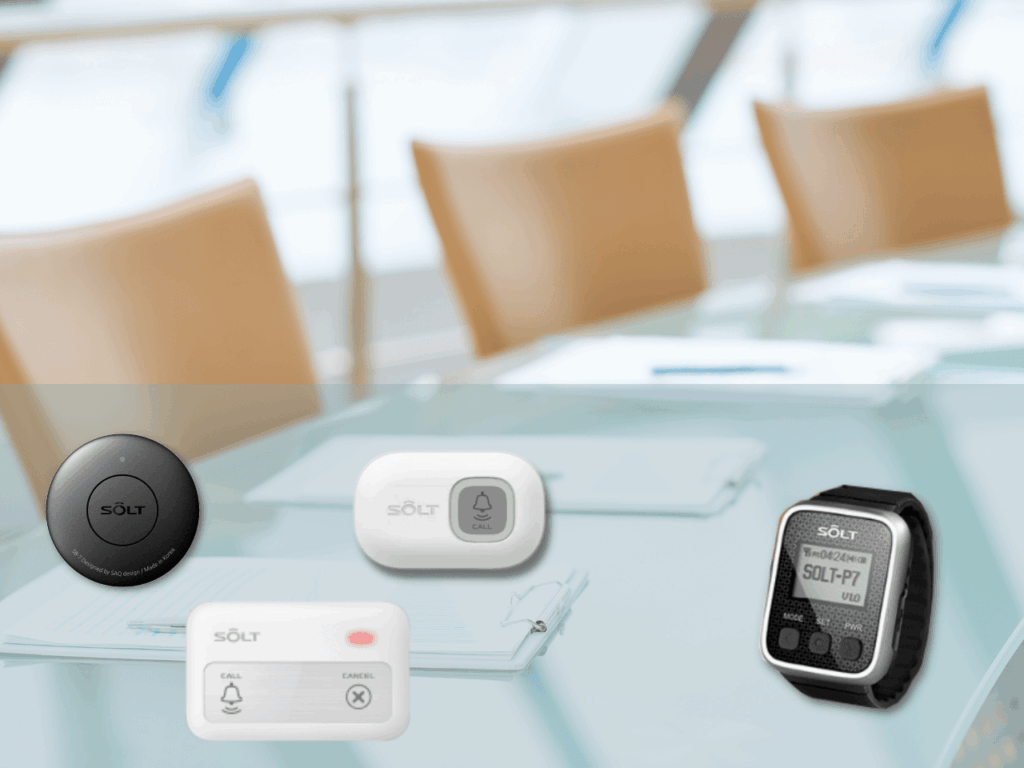
That’s where office assistant calling systems come in. These wireless call bell systems are designed to make office communication quick and easy. The system comprises a set of sleek call buttons placed strategically throughout the office, allowing staff to request assistance with a simple press of a button.
For instance, in conference rooms, the pantry staff can be alerted with a single button press, without interrupting the meeting. Similarly, if someone needs assistance from their office assistant, they can call them without leaving their desk or cabin, increasing productivity.
The wireless office assistant calling system is a cost-effective solution that improves communication within the office, saving time and increasing staff efficiency. The system ensures that staff can quickly and easily request assistance, without disrupting others’ work.
Installing the wireless office assistant calling system in your office is a simple and effective way to streamline communication and improve productivity. It’s a valuable investment that can yield significant benefits for your business.
Contact us at +91 9321064487 or sales@rincon.co.in.
Alia: Hey Samir, have you heard about nurse call systems? I’ve been researching them lately, and they seem to be a game-changer in healthcare facilities.
Samir: Yes, I have! They provide vital communication between patients and healthcare staff. But I must admit, I’m not entirely sure how to choose the right one.
Alia: Well, let’s dive into it together! A nurse call system is a communication solution that enables patients to alert nurses or caregivers when they need assistance. When selecting a system, consider factors like ease of use, reliability, and scalability to meet your facility’s needs.
Samir: That makes sense. But what about wireless nurse call systems? Are they different?
Alia: Absolutely! Wireless nurse call systems utilize radio frequency (RF) technology, allowing for seamless communication without the need for wiring. They provide flexibility and mobility, allowing healthcare providers to respond promptly to patient calls from anywhere within the facility.
Samir: That sounds fantastic! So, what are the common elements of a nurse call system?
Alia: Great question! A nurse call system typically consists of a call button or pull cord for patients, a central control panel for staff, and alerting devices such as wearables or light indicators.
Samir: It seems like a comprehensive solution. But how would one install a nurse call system?
Alia: The installation process may vary based on the specific system and facility requirements. Typically, it involves placing call buttons in patient rooms, strategically positioning control panels at nursing stations, and configuring the alerting devices. It’s essential to work closely with the system provider to ensure proper installation and testing for optimal performance.
Samir: Got it! But, Alia, I’m curious. Does the system use the latest technology?
Alia: Absolutely! Technology is continually evolving, and nurse call systems have embraced the latest advancements. These innovations improve response times, enhance staff efficiency, and ultimately elevate patient care.
Samir: That’s impressive! It’s fascinating to see how technology is transforming healthcare. I’m convinced that implementing an RF-based wireless nurse call system can truly make a difference.
Alia: Absolutely, Samir! It’s all about empowering healthcare providers to deliver the best care possible. With the right nurse call system, we can enhance patient safety, improve communication, and create a more efficient workflow for everyone involved.Remember, each facility’s needs may vary, so consulting with an expert and exploring different options is essential. Together, let’s embrace the power of technology to revolutionize patient care and make a positive impact in healthcare environments.
Imagine you’re sitting at a table in a fine dining restaurant. You’re enjoying your meal, but you need to get your waiter’s attention. You wave your hand, but they don’t see you. You stand up and walk around, but they’re nowhere to be found. You’re starting to get frustrated.
This is a common problem in fine dining restaurants. With so many tables to attend to, it can be difficult for waiters to keep track of all their guests. This can lead to long wait times for service, which can ruin the dining experience.
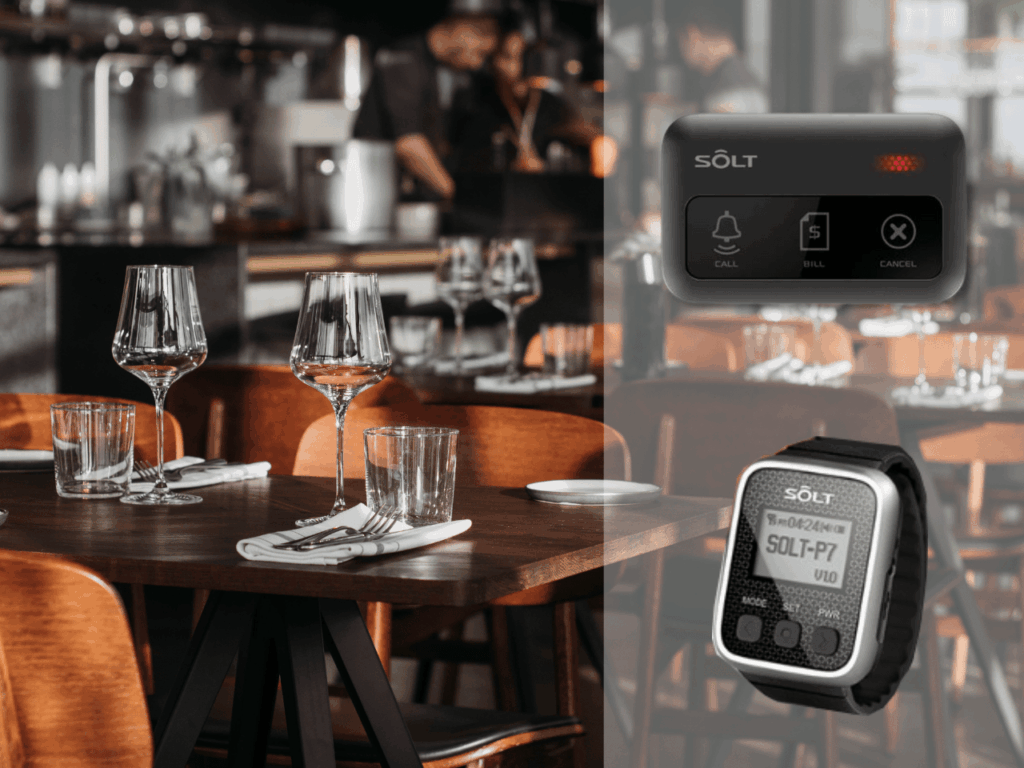
A wireless call bell system can help to solve this problem. These systems allow guests to page their waiters with the push of a button. This is a quick and easy way to get the attention you need, without having to wave your hand or get up and walk around.
Wireless call bell systems offer a number of benefits for both guests and restaurants. For guests, they provide a convenient and efficient way to get the attention of their waiter. This can help to shorten wait times and improve the overall dining experience. For restaurants, wireless call bell systems can help to improve customer service and increase sales.
Here are some of the specific benefits of using a wireless call bell system in fine dine restaurants:
Improved customer service: Wireless call bell systems allow guests to get the attention of their waiter quickly and easily. This can help to improve customer satisfaction and reduce the number of complaints.
Increased sales: Wireless call bell systems can help to increase sales by reducing wait times. Guests are more likely to order additional items when they don’t have to wait long for their waiter.
Improved efficiency: Wireless call bell systems can help to improve the efficiency of your restaurant staff. Waiters can spend less time looking for guests and more time taking orders and serving food.
Reduced stress: Wireless call bell systems can help to reduce stress for both guests and staff. Guests don’t have to worry about waving their hands or getting up and walking around to get the attention of their waiter. Waiters don’t have to worry about missing guests’ requests.
Contact us at +91 9321064487 or sales@rincon.co.in.
Living in a luxury villa is an experience that many dream of – stunning views, opulent decor and unparalleled comfort. However, calling for a valet can be an inconvenience that disrupts the peaceful living experience. Often, residents need to step out and search for a valet or then call disturbing the tranquility of their homes.
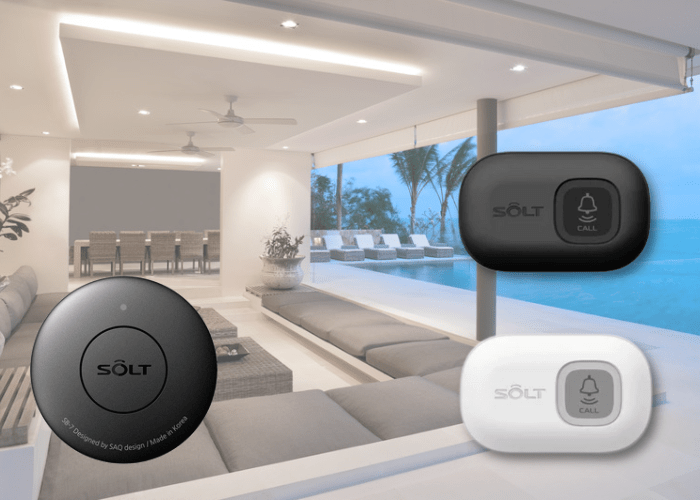
SB7-2XBK / SB3-1PBK/WH
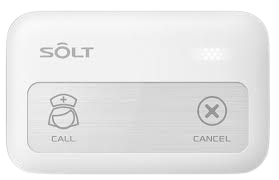
This is where wireless butler calling systems come in handy. These systems are specially designed to make calling for valets a seamless and convenient experience for villa residents. The butler calling system includes a set of discreet call buttons placed strategically throughout the villa. The resident can press the call button, and a notification is sent to the valet’s watch, alerting them to the resident’s request.
By installing the butler calling system, villa residents can request assistance with ease, without leaving the comfort of their homes. The system helps valets attend to residents’ needs efficiently, saving time and reducing errors.
The butler calling system is not just beneficial for residents and valets; it also helps villa management. They can monitor response times and identify areas for improvement, ensuring that residents receive the best possible service.
Investing in a wireless butler calling system can revolutionize the villa living experience, making it more comfortable and convenient. So, if you’re a villa owner looking to enhance the living experience for yourself and your residents, consider installing a butler calling system. Contact us on sales@rincon.co.in
It was Ritu’s birthday and she decided to treat her friends at a new restaurant that had just opened up in town. As they walked in, they noticed a small wireless calling device on their table.
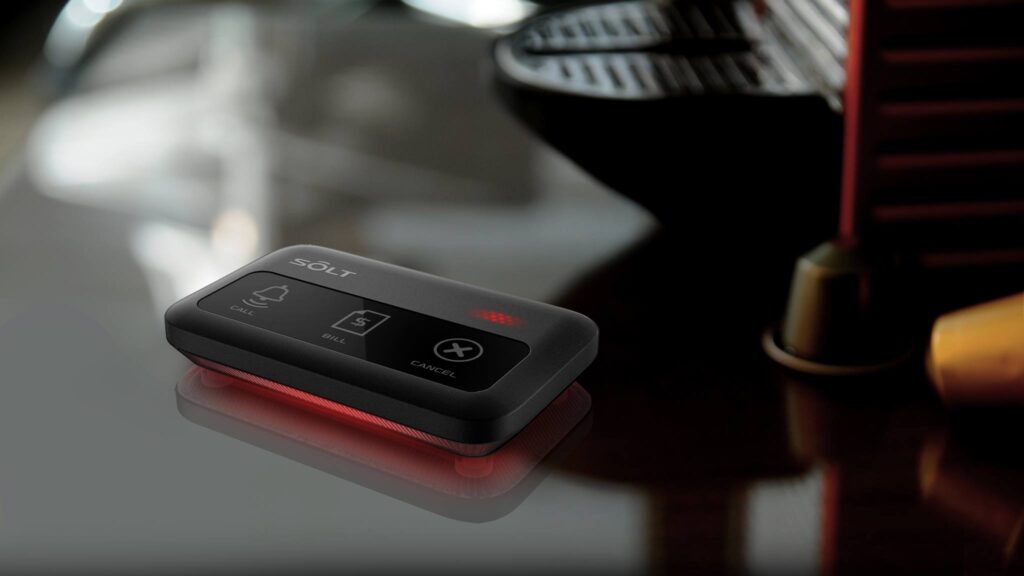
SB9-3XBK – Available in WHITE also.
“This is your personal calling system,” the hostess explained. “If you need anything during your meal, simply press the button and one of our servers will be with you shortly.”
All of them were impressed by the convenience of the system. They settled into their seats and looked over the menu, pressing the button when they were ready to order.
To their surprise, a server arrived at their table within seconds. He had a wearable device on his wrist that alerted him and there was a panel too that displayed the table number. Ritu quickly placed the order and they enjoyed the meal without having to wait long for anything.
Throughout their meal, they used the wireless calling device to request more water, extra napkins, and even bring the birthday cake. Each time, a server was there within moments to assist them.
As they finished their meal, they reflected on the excellent service they had received. The wireless calling system had made their dining experience much more enjoyable and efficient.
Ritu left a positive review of the restaurant online, mentioning the wireless calling system and the great service they had received making it a memorable birthday celebration for her. The restaurant quickly became a favorite among her and her friends, and they continued to visit regularly.
The wireless calling system had set the restaurant apart from others in the area and helped to create a loyal customer base.
Hospitals are constantly looking for ways to improve patient care and streamline operations. One area in which many hospitals are making changes is in their nurse call systems. In the past, wired nurse call systems were the norm, but now many hospitals are switching to wireless systems.
Wired nurse call systems use physical buttons or cords that patients or staff can press to alert nurses to their needs. These systems have been in use for many years and have been a reliable way for patients to communicate with the nursing staff. However, wired systems have several drawbacks. They can be expensive to install and maintain.
Wireless nurse call systems, on the other hand, use radio frequency technology to transmit signals from patients’ rooms to nursing stations. These systems are much more flexible and easier to install than wired systems. They also do not require any physical wiring which saves in terms of costs and maintenance later on.
Wireless nurse call systems are also more scalable than wired systems. Hospitals can easily add or remove call points as needed, which makes it much easier to adjust to changes in patient volume or staffing levels.
Many hospitals in India have switched to wireless nurse call systems, and more are expected to follow suit in the coming years. The benefits of these systems are clear, and they are becoming increasingly popular as hospitals look for ways to improve patient care and streamline operations.
In conclusion, hospitals switching from wired nurse call systems to wireless nurse call systems is a trend that is taking place across the world. The wireless nurse call systems are more flexible, easy to install, and integrated with other hospital systems. Hospitals are also finding that these systems are more scalable, allowing for better coordination of patient care and improved communication between staff.
Document management system (DMS) is a computer system (or a set of computer programs) used to track and store electronic documents. It is usually also capable of keeping track of the different versions modified by different users (history tracking). The term has some overlap with the concepts of content management systems. It is often viewed as a component of enterprise content management (ECM) systems and is related to digital asset management, document imaging, workflow systems and records management systems.
Butler Group, a London-based IT research and analysis organization, in its report entitled “Enterprise Search and Retrieval,” concluded that “ineffective search and discovery strategies are hampering business competitiveness, impairing service delivery and putting companies at risk.” Specifically, they contended that as much as 10% of a company’s salary costs are “frittered away” as employees scramble to find adequate and accurate information to perform their overall jobs and complete assigned tasks.
What Are The Current Challenges Faced By Customers?
The vast majority of documents in most organizations are not connected to the people or processes who need them. Examples include contracts, invoices, statements, reports, technical documentation, medical records and even email. This results in Lost or misplaced information – Knowledge workers spend 3.5 hours weekly searching for information that is never found and 3 hours a week recreating that lost content. (Source: The hidden costs of information work, International Data Corporation (IDC), March 2005)
Information Overload: Knowledge workers spend more than 27 hours a week searching, gathering and analyzing information. (Source: Ibid.) Fixed content is often left out because it is not well organized
Inefficient Business Processes: Just one example: it costs more than $50 on average to process and manage a paper invoice. (Source: Institute of Management and Information (Source: IOMA, Dec. 2005)
Compliance Issues: Organizations are under more pressure than ever before to manage fixed content for compliance and risk reduction purposes
Lack of integration with other applications CRM, ERP, HR, ECM, claims processing, health information systems, etc. all these applications need fast and accurate access to archived content but it is rarely accessible
Costly real estate is being used for hard copy storage.
How Can Document Management Solution Help In Overcoming These Challenges?
Increases productivity by speeding up document retrieval and finding lost information
Saves money by reducing the need for paper supplies, paper delivery and storage
Streamlines business processes by eliminating paper. Helps with compliance by creating a secure archive with audit trails, electronic discovery support and options to store data on non-erasable storage media
Connects the archived content to other applications that need it Hard copies can be stored off site saving on costly real estate.
What Should One Consider When Looking For A Document Management System?
Some of the most important features and functionalities that businesses should look for when choosing a document management solution are:
File Structure: The system should offer an easy-to-use file structure that makes sense to users, such as a cabinet-drawer-folder approach.
Searching: You want a wide range of options for quickly finding files. You should be able to search not only by the file’s name, but also by the content inside the file.
Ease Of Use: The system should be simple for employees to use. If it is too difficult, you won’t get complete buy-in from the staff, which will make the system less effective.
Mobile Access: You want a document management system that is accessible via smartphones and tablets.
Integration: The system should easily integrate with the programs you’re already using, such as your email client and customer relationship management software.
Scanning: The solution should be compatible with a wide variety of scanners.
Security: The system should allow you to restrict who can see specific folders and files. You should be able to set access permissions by the employee.
How Do You Get Documents Stored In The System?
There are several ways to add files including by uploading them from the computer (say .doc or .pdf or .xls files etc.) or by scanning paper documents directly into the system or by using our document scanning service.
Scanning Capabilities Are A Huge Part Of A System.
Scanning now takes just seconds, and if you get the right package, you can automatically create editable, keyword-searchable files in a universal format, like PDF, while you scan. A good scanning solution even makes bulk scanning easy, recognizing where separate documents begin and end in a stack and sending them to the right folder.
How Do You Find Documents In The System After They’re Filed Away?
Document Management systems offer a number of ways to quickly locate documents, including by searching the file’s title, the name of the author and when it was added into the system. In addition, many of these solutions allow you to search for content within each file.
With the integrated search features, you can simply conduct a keyword search to pull up documents in seconds, get a preview to make sure you’ve got the right file before opening it.
Document Management System User Benefits
There are a number of advantages of using these systems and some of the biggest ones are listed below:
Easy Access: John Bustrum, CEO and founder of My403bCoach.com, said having such software in place means he’s no longer forced to stockpile loads of files on his desk. Instead, when clients call, he can instantly find the documents he needs on his computer.
Easy To Search: Being able to easily search through her company’s documents is a huge benefit, said Karen Walker, founder of One Team Consulting. She said the ability to quickly search for and retrieve presentations and notes is invaluable.
Better Collaboration: Getting rid of hard copies of documents makes it easy for employees to work with each other, said Gary Tuch, founder of the Professor Egghead Science Academy. When multiple employees are working off of one document and editing is constantly happening, document management systems ensure workers always have the most up-to-date copy, he said. Employees waste no time on printing revisions or double-checking to make sure they have the current version, Tuch added.
Added Security: Increased security is a huge advantage of using document management solutions, said Andrew Southard, general manager of the Indiana-based Data Management Shredding, Inc. The technology has given his company the option to track who is viewing and editing each document, and designate which employees have access to which files, he said.
Saves Space: Exchanging paper documents for digital versions can save a tremendous amount of physical space, said Randy Jourgensen, owner of Digital Office Solutions. Since transforming his office to a paperless environment more than 15 years ago, Jourgensen has been able to convert space that was formerly used only for file storage into space that can generate revenue, he said.
Disaster Recovery: Businesses that have all of their documents stored in physical filing cabinets face the risk that these papers might be destroyed, or that the business may lose access to them should a disaster occur, said Alan Baker, president and chief consultant at Spitfire Innovations. If a water pipe bursts or there is a fire, business owners can still operate with little impact, since their critical documents are stored online and spared from any destruction.
What Is The Nurse Call System And How Do I Choose?
A Nurse Call System facilitates communication between a healthcare provider (be it Nurse, a ward boy or an ayah) and the people they serve, allowing healthcare providers to serve their patients more attentively and efficiently. Nurse call systems can be wired as well as wireless.
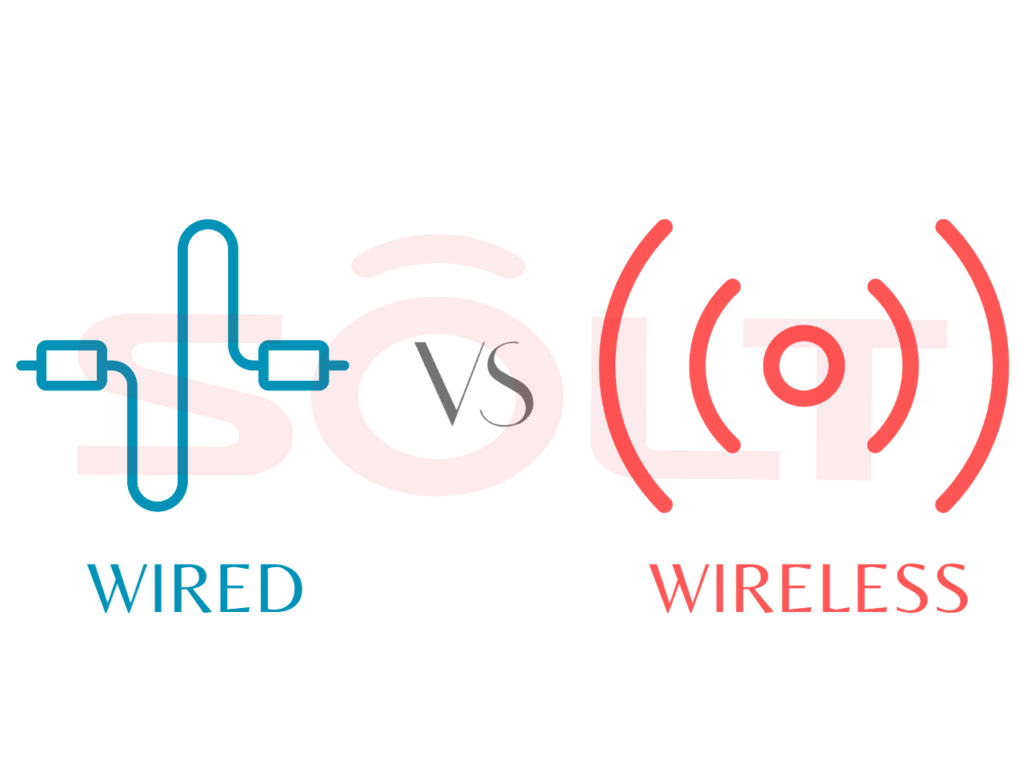
Wired systems as the name suggests have wires connecting the patient’s call to the nurse’s display panel. In the case of a wireless system, there are no wires except for the power supply needed for the display panel.
So the question then is should Healthcare units go in for a wired or wireless nurse call system? Which is better and why?
If you ask a manufacturer, he will no doubt offer a somewhat biased opinion towards the product he is selling. Each system has its advantages and disadvantages depending on the situation.
What Are Wire And Wireless Nurse Call Systems?
We will try and give you the pros & cons of both types of systems. Hospitals are very dynamic in nature and their role is not just limited to taking care of the hearts of patients but also winning the hearts of people. In this scenario, it may seem from the outside that wired systems would be a better bet but are they really better? Let us dig deeper.
The wired system calls for the hassle and the upheaval required to install cables. If you can withstand that, then wired is probably the best option. You could opt for hiding the cables in the walls and flooring or using a trunking system. Hiding the cables is a neater option, but this calls for chasing the walls, holes for the boxes etc. Also if you have to lay the cables through the floor, God forbid, it can be a huge mess. The cables have to run through the corridors, through the false ceiling. If you were to opt for trunking over wires, you will obviate the need for chasing walls. However, the other problems continue as before. Trunking stands out like a sore thumb and makes it unappetising visually.
What happens if you have to refurbish the room at a later date or move the bed? Also while the laying of cables is being carried out, it renders the room useless. Wireless systems score heavily here against wired systems.
Most wireless systems can be installed and commissioned in as little as a single day. Once the system is designed and installed properly, there is no need for boosting radio signal strength.
Common Elements Of A Wireless Nurse Call System.
Bedside point which is with the Patient – This enables the patient to call for assistance using the button. There are push buttons which can be placed on the bed head panel so the patient’s relative can call for assistance. There can also be buttons for Code Blue (cardiac emergency) or other emergency calls.
Toilet Call Point – As the name suggests, these call points are meant for and located in the toilet. These points enable the patient to call for assistance if he/she is in the toilet. These call points have the option of a pull cord being attached to the call point. Otherwise, only the call point which can be operated by the patient can be installed.
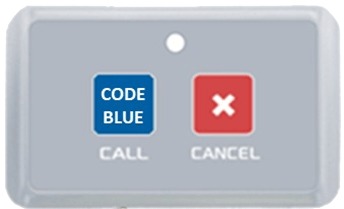
Code Blue – This is the button pressed in case of a cardiac emergency. The sound played is different to warn the concerned people about the exigency of the situation.
Code Blue – call point
Emergency call – This is the button pressed in case of an emergency. The sound played is different to warn the concerned people about the situation.
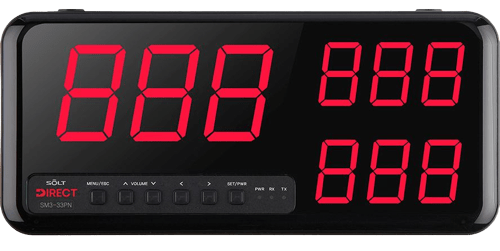
Nurse Call Panel – This is the display panel which is normally installed at the Nurse Station but there are instances in which they are installed in the corridor and the area for Ward Boys/attendants. When the patient/relative presses the button, the call is indicated on the display panel with the appropriate sound to indicate if it is an emergency or not. The panels require a 240 V power supply socket.
Display Panel
PC for Logging – If you have to maintain a report of all the calls made and answered to want to see more active calls, then we have a PC monitoring software which works on Windows 10 PC. It also gives a value-added feature of Reporting and calls escalation.
Repeater – This is a signal repeater that boosts the signal strength so that the calls from the patient can reach the nurse call panel. The number of repeaters needed is dependent on the structure of the floor and the size of the ward. The repeaters require a 240 V power supply socket.
Repeater
Door lights – A door light can be mounted outside the door. It has different colours and has the option of sound also. A single door light can be connected to up to 20 beds so it can be installed in the general ward and the investment is reduced. These lights can be used for a single room and twin sharing rooms as well. The display colour can be customised as per the call type so in case there is a code blue call, the door light will show blue colour. The lights require a 240 V power supply socket.
How Do You Install A Nurse Call System?
Installation – The installation is very simple as it doesn’t involve any wiring. The system can be preconfigured for the bed numbers etc. so all one needs to do is fix the call points, the display panel and test. If not configured, the system location of the signal repeaters is to be determined based on the layout of the ward/floor.
Is The Nurse Call System Hospital-Centric
The Nurse call system is a complete solution that depends on the layout of the hospital. The number of call points depends on the number of beds that are there. Similarly, the number of toilet points depends on the number of toilets that are there. Display panels are based on the number of nurse stations. The number of repeaters needed is dependent on the structure of the floor and the size of the ward.
Does The System Use Latest Technology
Solt wireless Nurse call systems use (RF) radio frequency, 433 MHz which is an open band. The system is cable of handling up to 999 call points on a single nurse station panel. The system can have different call types to identify the nature of the request thus saving valuable time for the attendants and ease and speed of service. It can be used for Emergency and code blue as well and has the provision for up to 22 different sounds depending on the cell type. It also has the capability of generating reports on the PC for response times. These reports are mandatory for NABH and JCI compliance.