Category: Blog

  • Reblog: Video Conferencing

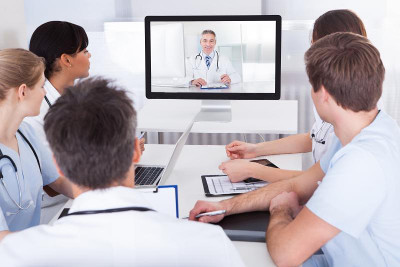
    Video conferencing uses two-way interactive audio-video technology to connect users when a live, face-to-face interaction is necessary.

    Video devices can include videoconferencing units, peripheral cameras, videoscopes, or web cameras. Display devices include computer monitors, plasma/LED TV, LCD projectors, and even tablet computers. Video conferencing can provide cost-effective access to care for patients who are institutionalized or incarcerated;

    Video conferencing has historically been the most common application of telemedicine/telehealth care, and is an effective health care and consultation tool for a variety of applications, including:

    Emergency Room/Intensive Care Unit Support

    • Video conferencing connects emergency providers with medical specialists who otherwise would not be available for consults;
    • Remote ICU monitoring programs at hospitals provide 24-hour backup, supervision, and support to ICU medical staffs by utilizing a combination of real-time video to observe patients, interactive video communications with on-site ICU providers, and digital patient monitoring equipment.

    Consults

    • Primary care providers can consult with medical specialists who are not available locally;
    • Providers can discuss patient cases, regardless of location, and without the need for travel;
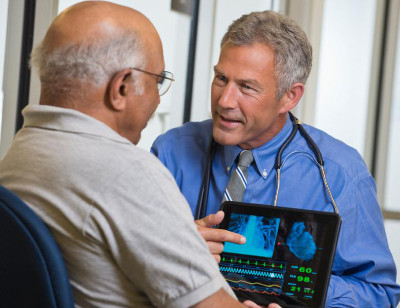
    • Medical specialists can examine patients in remote locations when distance is a barrier, as is the case when patients live in rural and underserved urban areas. This includes situations where the physician needs to directly observe the patient;
    • Psychiatric consults can effectively be provided through live video for individuals who do not have local access, or who may otherwise be reluctant to keep appointments in person at a psychiatric provider’s office;
    • Patients with limited mobility can receive medical consultations at home, or in their local primary care provider’s office;
    • Language translators can provide video interpretation services to multiple locations, a cost-effective expansion of these programs.

    Health Education

    • Video conferencing allows health care professionals to conduct continuing education programs with attendees in multiple locations;
    • Patients can use these technologies to take disease management courses or receive other important health information.

    Video Conferencing Successes

    Recent studies have shown that video conferencing directly improves access to health care, and can improve the quality of care that could lead to improved health outcomes. These technologies also have the potential to make the health care system more cost effective. For example:

    • The objective of this 2016 study titled, “Telehealth and Autism: Treating Challenging Behavior at a Lower Cost“, was to determine if an autism treatment delivered via live videoconferencing could be implemented effectively and at a lower cost compared to in-person interventions. To test this, they compared outcome and cost data for Applied Behavioral Analysis (ABA) procedures using in-home therapy, clinic-based telehealth, and home-based telehealth. Their results found all three service delivery models to be successful in reducing problem behavior. Related to cost, they found home telehealth to be least costly, but both forms of telehealth were significantly less expensive than in-home therapy.
    • “Patients’ Satisfaction with and Preference for Telehealth Visits”, a 2015 study, investigated patient satisfaction with a live-video telehealth program offered at a CVS MinuteClinic. Researchers surveyed 1,734 patients to assess their satisfaction with seeing diagnostic images, hearing and seeing the remote practitioner, the assisting nurse, quality of care, convenience, and understanding. They were also asked to rank telehealth visits as they compared to traditional visits. The survey results found high satisfaction and acceptability for telehealth, and some patients preferred telehealth services over a traditional in-person visit.

    To learn more contact us [email protected]

  • Reblog: 6 Ways to Use Telemedicine Video Conferencing

    Telemedicine has been used for more than four decades to improve patient and physician access to healthcare services, according to the American Telemedicine Association. It also has the potential to reduce the cost and improve the quality of healthcare – while meeting a growing consumer demand for telemedical services. With such a strong set of benefits, it’s no surprise telemedicine represents a powerful business opportunity for value-added resellers in the video conferencing space.

    Telemedicine Basics

    Simply put, telemedicine is the exchange of medical information through electronic communications. With telemedicine, doctors, clinics and patients might use two-way video, email, smartphones or wireless communication to share information.

    Telemedicine Video Conferencing

    Video conferencing has fast become one of the most popular tools in telemedicine. The face-to-face capabilities of video conferencing is an ideal fit for the healthcare industry, where patients want convenience and better access but also crave connection and understanding. A growing number of physicians and patients are making use of conferencing technology for live interactive video, sharing video clips for later review, forwarding diagnostic images and more.

    When working with healthcare customers, it’s important to help them see the many different possibilities of video conferencing telemedicine. Consider the following ways the technology can be used:

    1. Improving access for remote patients.

    The No. 1 benefit of video conferencing in medicine is arguably improved access. According to the American Telemedicine Association, telemedicine has the ability to increase healthcare service to millions of new patients, from those in remote rural areas to those in crowded urban environments. Video conferencing can even be useful in disaster areas, reaching those affected by earthquakes, tsunamis and more. These patients can quickly and easily connect with doctors from around the world by taking advantage of technology that can be made available at local hospitals, clinics or relief stations.

    2. Connecting physicians from around the world.

    Video conferencing also has the ability to connect physicians with colleagues, health facilities and experts from around the world. This facilitates an unprecedented level of collaboration and knowledge-sharing that can only benefit the global health community.

    3. Providing medical education.

    Health professionals can use video conferencing to broaden their educational reach as well. Students, fellow physicians and patient advocacy groups can connect via video for seminars, meetings and even ongoing classes to share information that would otherwise be out of reach for some.

    4. Enabling more effective critical care.

    Some people struggle to travel any distance to see their doctor. Patients who are very ill, handicapped, elderly or in the late stages of pregnancy could benefit greatly from video access to health professionals. There is also great potential in pediatrics, as many children’s ailments are common and straightforward enough to be diagnosed remotely – without forcing parents to drag their sick kids to the doctor.

    5. Making mental healthcare more accessible.

    Certain fields of healthcare are even more well-suited to video conferencing than others. With a focus on doctor-patient interaction, mental health services are ideal for telemedicine through video conferencing. Doctors can connect with patients using video, which helps to broaden their reach and save patients time and money.

    6. Specialist referral services.

    Video conferencing can also expedite the specialist referral process. Using video, a primary care or allied health professional can consult with a patient or specialist, which helps them to arrive at a diagnosis and recommend a referral more quickly and recommend a referral more quickly.

    What are some of the other potential areas for video conferencing in the telemedicine field? What has been your experience with video conferencing in hospitals and other healthcare facilities?

    The original article can be found here.

    To learn more contact us [email protected]

  • Reblog: Top 5 Reasons why faxing is important to business

    How the shift to cloud-based faxing is ensuring fax will stay around – for years to come

    Have you sent a fax lately? A lot of us may answer no, or perhaps recommend just sending whatever document you have by email or from a multi-function printer as an email attachment. The blogosphere and pundits alike have declared the ‘death of fax’ for many years now. But, much to the contrary, faxing is not dead, and indeed, according to Davidson Consulting, faxing is much alive – and in fact growing. For example, Davidson reports that there are 100 billion faxes send worldwide every year and that the market for fax services is forecast to grow at a notable 15.2% compound annual growth rate through 2017. Not too shabby.

    But sending a fax – really? With so many alternatives available like cloud-based shared folders, FTP, and even Internet of Things (IoT) ‘wearable’ technologies, why are we still using fax, and why is it still alive? Well, if you’ve had to refinance your house, provide a ‘wet ink’ signature on a legal document on behalf of an enterprise or small business – you know the ‘why’. However, there are some other very pertinent reasons why fax isn’t going away anytime soon that your business or enterprise should be aware of.

    Here’s five reasons why faxing is still very much alive and will continue to be a mission critical mode of document conveyance for consumers and businesses worldwide.

    1. Technology. The wave of cloud services and other public cloud offerings has driven a big shift from the way businesses and consumers consume and share information. The evolution to cloud-based services has enabled an ‘anywhere, anytime’ usage model where music, documents and data sharing can be done via any internet connected device. Cloud faxing is no exception. With email-based faxing over cloud networks, for example, electronic faxing is as easy as sending an email – from any connected internet device or multi-function device/printer.

    2. Global Reach. While new cloud technologies continue to evolve, faxing is still recognized as a central means of business communications worldwide since no single technology has superseded faxing. In fact, many businesses are adapting a cloud-based fax model that simplifies their existing workflows with email-based faxing with the added benefit of eliminating the need to maintaining fax servers, telco lines, maintenance agreements, etc.

    3. Audit and Delivery Confirmation. If your business is in a highly regulated sector likehealthcare, finance or legal, you may very well be aware of the implications of compliance issues such as HIPAA, HITECH, SSAE 16, Sarbanes-Oxley or Graham-Leach-Bliley to name a few. Unlike email or mobile text messaging, with electronic faxing, the receiving fax must acknowledge that the document was received successfully. This notification is proof that your document was delivered successfully. This transactional audit trail data is a critical component to an overall compliance strategy.

    4. Secure. Modern cloud-based fax providers can provide the most secure faxtransmissions by enabling TLS encryption (Transport Layer Security) protocol, delivering enhanced security for peace of mind that your documents are protected by NIST-standard level encryption. As an added measure of security, the documents themselves can be stored with Advanced Encryption Standard 256-bit encryption while at rest on cloud networks. A nice advantage over basic email.

    5. Ubiquity. Because electronic faxing has established a foothold worldwide with a universally accepted protocol, fax technology (cloud or physical fax machines) is ubiquitous and is deeply integrated into business processes, such as transferring medical records or financial information. Cloud faxing has adapted with the technology to integrate into core businesses systems such as Electronic Medical Records (EMRs) and Customer Relationship Management (CRM) systems using flexibleApplication Programming Interfaces (APIs). Businesses also receive the added benefit of eliminating the maintenance and overhead of on-premise fax servers and systems.

    As Mark Twain once said after his death was erroneously reported in the New York Times “…the report of my death has been grossly exaggerated.” The same is true with fax. Fax isn’t dead – it’s just evolving with the times.

    The original article can be found here.

    To learn more contact us [email protected]

  • Migrating your Fax Server to XMEDIUSFAX

    Fax-over-IP is a critical component in the communications infrastructure of many organizations. It is optimized to secure and streamline their document workflows, and it helps them to achieve compliance with the security and privacy regulations that apply to their respective industry sectors.

    XMediusFAX® is an ideal FoIP solution. It is a single-source, software-only technology and includes its own patented T.38 protocol, the most reliable protocol for transmitting faxes over a VoIP network. Better yet, XMediusFAX® doesn’t require a third party to enable your fax infrastructure and our R&D team has fully mastered the software and can intervene quickly if any assistance is needed. Furthermore, XMediusFAX® features shared High Availability (HA) channels that replicate information in real time. Both of its servers are active, so should one fail, the other takes over until the malfunctioning server resumes its normal workload. This ensures an uninterrupted workflow.

    Because of all these critical benefits, the XMediusFAX® solution attracts a range of organizations that are interested in implementing a superior FoIP solution.

    However, switching over from another solution can raise some concerns. One that prospective customers most often express involves migrating and preserving their existing data. In response to this concern, the XMedius team has developed a tool to help our new customers migrate from their current database* to an XMediusFAX® server while preserving all of their fax records and user information.

    Would you like more information about the migration offer of your current Fax-over-IP solution to ours?

    *Conditions Apply

    E-mail us on [email protected] for more information and we will be glad to assist you.

  • Reblog: Modern nurse call systems are capable of providing much more than nurse call

    On the surface, a nurse call system seems like a straight-forward, almost universally understood concept. Indeed, when they hear the phrase “nurse call,” most people who have worked in healthcare will visualize the same things: dome lights, tones emanating through corridors, and patients using their pillow speakers to change television channels from their beds. They also will picture the chaos of a nurse station while someone speaks to a patient on a nurse call telephone handset.

    While these images all are aspects of nurse call, the modern needs, capabilities and uses of such systems today are often less understood.

    For many years, the technical capabilities of a nurse call system didn’t stray very far beyond what the relevant codes and best practices required. As a result, nurse call systems logically became associated with the hardware and software used to meet those requirements. Today, however, such systems go so far beyond the codes – and can play a role so important to the delivery of care – that the phrase “nurse call” hampers big-picture thinking about the advanced capabilities. Perhaps “caregiver communication and workflow system” more accurately describes where the technology is today.

    The traditional role of nurse call remains relevant, of course, and the basic devices remain fundamental to the healthcare environment. Codes and best practices still require the use of specific devices in specific rooms in specific occupancies. Evolutionary product improvements occur, but the underlying role of a nurse call system remains fundamentally unchanged: for a patient to alert and engage in communication with their caregiver. This aspect of the system is addressed by UL 1069 “Hospital Signaling and Nurse Call Equipment.” (UL 2560 covers similar equipment in senior living facilities.) UL 1069 covers the placement, notification and resetting of staff-initiated and patient-initiated signals intended to alert others to a need, and requires:

    • Audible and visual annunciation of calls at nurse stations
    • Call annunciation at the room’s dome light
    • Visual “call placed” indicator on the patient station
    • Dome light zone visual annunciation
    • Call reset / cancellation

    Facility Guidelines Institute (FGI) Guidelines for Design and Construction of Hospitals and Outpatient Facilities also addresses nurse call and includes specific device requirements based on room type. (While this article uses the word “required,” FGI is a best practices guideline or a code requirement depending on a particular state’s adoption or lack thereof.)

    Components of Traditional Nurse Call

    Master stations provide audible and visual annunciation of calls at the nurse station. A variety of equipment accommodates this:

    • A telephone handset device. Various sizes of LCD screens provide information about calls; some include touch screens.
    • A PC-based console with telephony capabilities. This includes OS-embedded appliance configurations and traditional PCs with large monitors to display high volumes of information.

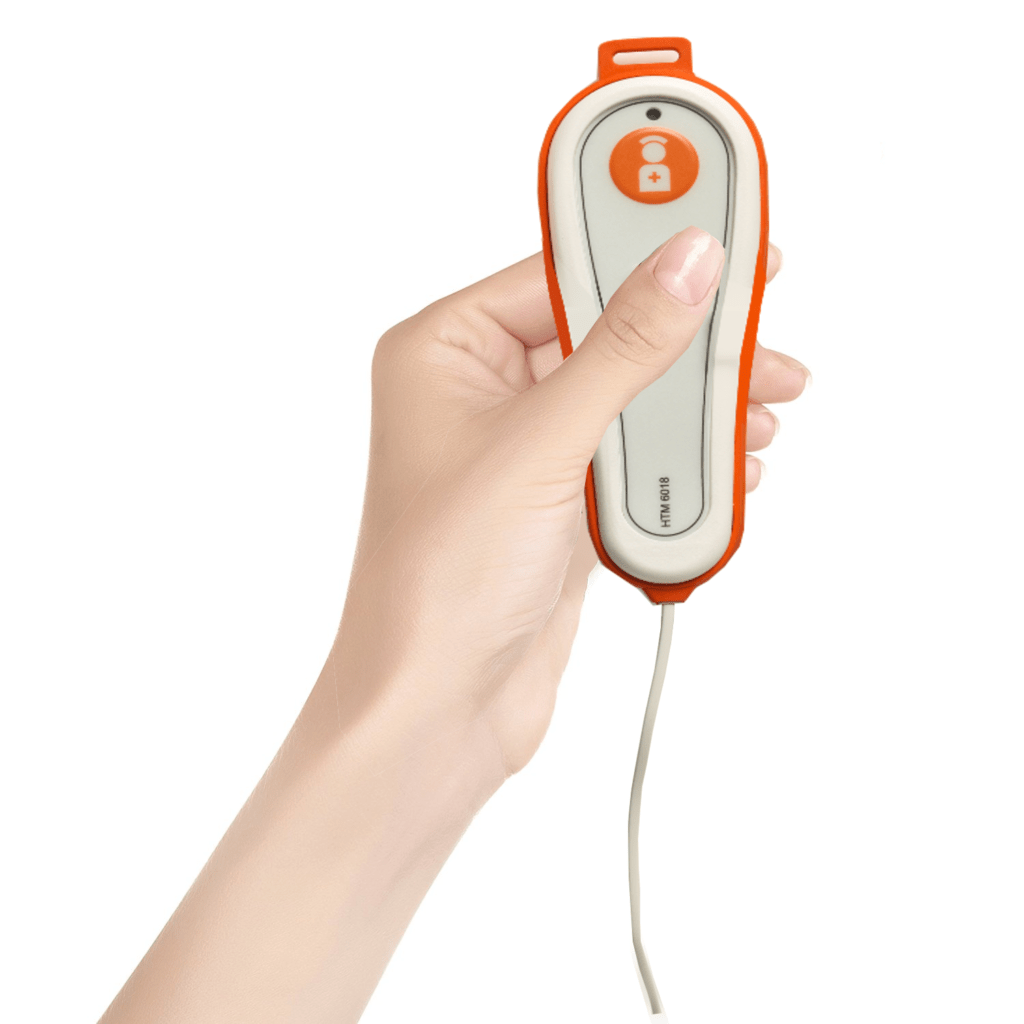
    Patient stations are located at an inpatient bed and initiate communication to caregivers. The patient usually originates the communication by pressing a button on the pillow speaker, which also can provide television control, lighting control and control of window treatments and room temperature. Caregiver-initiated communications at the patient station include code blue and a request for nurse assistance. (FGI determines what types of communication are required for each room type.)

    The patient station also serves as the wiring hub for several other stations near the patient bed including:

    • Bed connector (wired and wireless options) between the patient bed and nurse call to monitor bed rail position and alert the master station to changes
    • Medical equipment connectors to monitor alarm conditions of bed-side medical equipment at the nurse call master station

    Other stations: Per FGI guidelines, other room types not containing an inpatient bed still require nurse call devices. These stations include:

    • Toilet stations. A pull cord attached to the station summons assistance in getting on or off the toilet and can be activated from a lying position on the floor should a patient fall.
    • Shower stations. These serve a similar purpose as the toilet station but are listed for the wet environment of the shower.
    • Caregiver-initiated stations. These are required by FGI in a range of room types and are used to initiate a request for assistance (i.e., nurse assist call) or to summon a response team (i.e., code blue call).

    Dome lights are placed outside any room that contains an initiating station. The dome light quickly alerts staff to the specific location of the call to expedite the response. Dome lights use multi-colored LEDs and can communicate a variety of information in different ways, including:

    • A unique color to distinguish the nature of the need
    • Various flashing patterns to provide additional information
    • Used in conjunction with staff-locator technology to indicate the type of caregiver in the room

    Dome lights are intended to be mounted so they are visible from the nurse station. When a room is not visible from the nurse station, zone dome lights are used to lead the caregiver in the direction of the call until the room’s light is visible.

    Duty / staff stations allow caregivers therein to be aware of a master station call when they are not at the master station. These are typically rooms where caregivers perform various duties and include nourishment stations, linen rooms, break rooms and similar spaces.

    Duty and staff stations serve similar purposes but there are differences. A duty station provides audible (but not voice) and visual indication that there has been a call initiated on the system. Typically there are three levels of call severity: normal, emergency and staff emergency. A staff station includes the functionality of the duty station and adds two-way voice communication.

    Some manufacturers have stopped producing separate duty and staff stations. Instead they produce a station with two-way voice functionality (traditionally known as a staff station) but market it as a duty/staff station to imply it meets both application needs. This is accurate, but it adds confusion to the difference between a staff and duty station.

    Infrastructure: Traditional nurse call historically has been viewed more like other specialty systems such as fire alarm, paging or security (prior to IP cameras) with its own specialty wiring requirements unrelated to the category cabling world, rather than as a network-based system.

    As part of the evolutionary improvements made in nurse call, even basic nurse call systems with feature sets no deeper than UL 1069 and FGI requirements now have system architectures that have more in common with category cabling than in the past.

    The typical nurse call system today consists of a controller or control panel that is directly on a TCP/IP network, connected using category cabling. The controllers are dispersed through the hospital and their quantity and location are determined based mostly on system capacity considerations. It is not unusual, given that these controller panels are native TCP/IP devices, for them to reside in the telecommunication rooms if the hospital adopts a convergence philosophy.

    A nurse call infrastructure usually uses category cabling downstream of the controller. In most cases the nurse call system dome light is the “wiring hub” for the collection of nurse call stations that are in the room to which the dome light belongs. After bringing category cabling to the first dome light, many brands continue to daisy chain additional dome lights on the same category cabling run. In most cases, it is not a star topology. Despite category cabling being used, this is usually not TCP/IP communications. Rather, it is simply the use of category cabling as the transport mechanism. Most dome lights have an input and output for the category cabling. It is more like a communication trunk line or bus than a conventional structured cabling architecture. The dome lights continue to be daisy chained until the manufacturer’s maximum number of devices or maximum bus length has been achieved. Some manufacturers have their own unique differentiators for the cabling infrastructure, so it is important to understand the intricacies of the product.

    Some manufacturers’ devices do have Ethernet communication over the category cabling. This typically occurs with master stations that use VoIP technology. It is very important to understand how the manufacturer uses Ethernet technology in their solution. Of primary concern is whether the particular Ethernet device is inside or outside of the UL 1069-rated umbrella; this has implications on the acceptability of various termination options of the category cabling in the telecommunications closet.

    The lesson here is that it is important to understand the details of a particular manufacturer’s system topology. Despite category cabling being used in many nurse call system applications, the likelihood is that most of it is not Ethernet communications. How the cabling is ultimately routed, terminated and bundled are project-level design decisions.

    Beyond UL 1069 and FGI

    Recent significant advancements have been made in nurse call, most of which go beyond UL 1069 and FGI requirements. This is where the revolutionary change is occurring, and why “nurse call” may not be a suitable name going forward.

    Driving much of this change is the Affordable Care Act, a game changer for providers in many ways, with nurse call playing a significant role as the healthcare system shifts from a “fee for service” to a “fee for outcomes” structure. Nurse call helps healthcare providers meet the challenges of this new reimbursement model in two primary ways: HCAHPS and operational efficiency.

    HCAHPS and patient satisfaction: In simple terms, HCAHPS – Hospital Consumer Assessment of Healthcare Providers and Systems – is a patient satisfaction survey. A portion of healthcare reimbursements are tied to HCAHPS scores. This means that healthcare, like other industries, is now being rated in terms of “customer service.” Healthcare customers – i.e., patients – may rate their service by answering such questions as:

    • How well did the hospital take care of my needs?
    • How fast did caregivers respond to me?
    • Did they help me when I needed help?
    • Did they bring me a drink when I wanted one?

    Countless examples could be provided. The bottom line is that nurse call systems serve as the primary communication tool between caregiver and patient – and can have a positive or negative influence on a patient’s level of satisfaction. Therefore, the choice of nurse call system, how it is used, and the system architecture serve a significant role in HCAHPS scores.

    A great deal of effort should be spent looking at how to use nurse call technology to decrease the time it takes for a patient to talk to a caregiver and for that patient to see the caregiver in their room. Specific nurse call systems today are engineered to be best suited for specific caregiver models and are no longer a commodity in which every vendor manufacturers the same box on the wall. Some of the most common caregiver models are:

    • Decentralized nursing communication: This is the conventional approach consisting of a unit-based master station at a conventional unit-based nurse station. Patient calls are routed to the unit-based master station and then triaged out to the assigned caregiver.
    • Centralized nursing communication: In ICT terms, think of this as a central phone system operator. One (or more) staff members are dedicated to answering patient calls in a centralized location with the calls coming in from multiple units, multiple floors, an entire building and even an entire campus. Patient calls are triaged out to the assigned caregiver’s mobile telephony devices from this centralized operator. Some convincing evidence from healthcare systems using this approach show meaningful increases in responsiveness to patients through a decrease in most types of response times.
    • Direct-to-caregiver: In this model, the master station takes a backseat and becomes the “fallback plan.” Patient calls are routed directly to the mobile telephony device of the assigned caregiver. The master station (still required by UL 1069 and FGI) is used should the caregiver not respond to the call within the required time. The challenge with this model is that responsiveness to one patient can become an interruption to another patient. In addition, some calls require an RN (i.e., pain medications) and some do not (i.e., “I need a drink.”). Ultimately, however, one caregiver must be chosen to receive the initial call – assuring that in a significant percentage of the cases, the initial caregiver answering the call will be the wrong caregiver for the need.

    Operational efficiency: Nurse call plays a significant role in automating, monitoring, reporting and simplifying processes in the hospital. Indeed, most nurse call manufacturers now talk about “workflow” in their marketing materials and sales presentations.

    Many current nurse call products that deal with workflow processing are hardware-focused solutions requiring a caregiver to go to a fixed location to initiate a workflow process. Some manufacturers take a different approach based on the highly mobile environment of healthcare. They believe workflow processing should be done while mobile, so they focus more on a software approach using the caregiver’s mobile devices in lieu of a fixed hardware location.

    Whether hardware- or software-driven, today’s nurse call can serve as the system that handles clinical workflows in a variety of ways:

    • Automating notification to housekeeping (when a patient room needs to be cleaned) and to the admission, discharge and transfer (ADT) system (when a room is ready for admission) to improve room churn
    • Automating notification when a patient is ready to be seen by a particular specialist, when a particular lab result is available, or when a patient is in need of transport staff, etc.
    • Automating the check-in process for rounding, requesting chaplain services, requesting a family member consultation, etc.
    • Powering the intelligence behind “bed boards,” the large monitors displaying dashboard information about the status of the room and the staff and patients within it

    Making the right (nurse) call

    The recent advances in modern nurse call systems mean that there are proper applications and misapplications of any specific nurse call solution depending on the unique project requirements.

    A well-informed selection process needs to exist in order to properly recognize and vet these nuances between systems.

    The end goal is for the selected nurse call system’s unique characteristics to meet the needs of a particular healthcare facility’s workflow and care delivery model. This will improve patient satisfaction, HCAHPS scores, operational efficiency, and ultimately the facility’s bottom line.

    The original article can be found here.

    To learn more about Nurse Call Systems, contact us on [email protected]
  • Reblog: 5 factors to consider while choosing a 3rd party video conferencing tool for your telemedicine app

    Building a healthcare solution is a complicated process, and a myriad of regulatory requirements often add time and costs to the product.

    For this reason, experienced health-tech developers like Kays Harbor rely on their ability to integrate relevant 3rd party solutions which can expedite the development of your healthcare software without the need to reinvent the wheel, at the same time adhering to the strict regulatory requirements.

    One such area where we suggest our clients to opt for a 3rd party tool is the video conferencing module when it comes to developing a telemedicine solution. With so many third-party video conferencing products available in the market, it could be a challenging task to decide which solution to incorporate in your product.

    While you are doing your research around the available options in the market, do keep the following 5 points in mind that guide you to towards the right 3rd party video conferencing tool for your needs.

    When choosing a video conferencing tool for your telemedicine solution, make sure you look out for these five factors:

    1. Check if it is HIPAA compliant

    In all probabilities, you would have kept HIPAA compliance in mind while you are building the telemedicine solution. You don’t want to undo the hard work your developers have put into your product by integrating a non-compliant 3rd party solution.

    a. Privacy and security compliance

    The third-party product must be compliant with HIPAA’s Privacy and Security Rules, especially in relation to the increased requirements relative to the HITECH Act.

    b. Complete protection of PHI

    While your portion of the telemedicine solution has been built in a way that it doesn’t access the protected health information (PHI) being transmitted, you must ensure that 3rd party VC tool you are integrating also protects the PHI. As you are considered under HIPAA to be a covered entity and you are using another party’s service to assist in transmitting PHI, therefore HIPAA requires a business associate agreement to be in place to protect all parties.

    c. The tool should allow peer-to-peer sessions

    To remain compliant, the video conferencing tool you choose should create a portal from endpoint to endpoint, thus ensuring that PHI is never stored or received in any way by your own telemedicine solution. This essentially means the video conferencing tool acts as a closed portal through which information passes, preventing the interception or leakage of data between points A and B. It should only broker the connection between securely verified participants and allow for the administration and management of the list of such users.

    d. Choose a tool that integrates encryption

    While the Security Rule doesn’t require data encryption in cases where it can be shown to not be reasonable or appropriate, the video conferencing tool you choose should encrypt the data that it generates. If there is a breach for any reason,proper encryption provides a safe harbor and you would not need to provide notification of the breach as otherwise required by HIPAA’s Breach Rule (as defined in the HITECH Act).

    e. The video conferencing solution should allow HIPAA compliant local file storage

    You should choose a tool that allows your users to save the PHI created to your own hardware, which should itself be HIPAA compliant. The tool should not itself store any data within its infrastructure or be allowed to access the said data, to protect yourself and your clients.

    2. Video and Audio performance

    The video conferencing tool you choose to integrate into your telemedicine solution should add versatility and adaptability to the way your users connect to one another.

    a. Crystal clear clarity regardless of connection quality

    The tool you choose should provide high quality audio and visual performance regardless of the user’s connection speed, or disparate connection speeds between users. The tool should offer compatibility with and the ability to thrive on bandwidths of all types.

    b. Efficiency on multiple displays

    Your users may be running telemedicine sessions over different device types and screen sizes. The 3rd party video conferencing solution should be able to render seamlessly irrespective of the screen size and resolution, without any severe effect on the video/audio quality.

    c. A customizable interface helps build trust

    The tool you choose should allow users to customize the video feed with options such as being able to resize video, allow the feed to appear frameless to improve the personal connection between the doctor and patient, allow users to arrange multiple feeds, and other similar display functionality.

    3. Purpose-specific features

    Depending on the purpose and functionality of your telemedicine solution, there can be several custom features you might want to incorporate in your product. In that scenario, your 3rd party video conferencing tool should be flexible enough to allow you to easily build such functionalities on top of it. Consider the following custom features and decide for yourself.

    a. Pause and annotate live video

    You might need a tool that allows the doctor to pause the video, annotate records, or even draw on the monitor to share information with the patient.

    b. Patient queue

    If your telemedicine tool is being used to allow doctors to perform virtual consultations, it might be necessary to choose a video conferencing solution that keeps a queue of patients to manage appointments and contacts at a glance.

    c. Multimedia functionality

    In order to allow users to share documents, records, educational material or other information with other participants, you might need a tool that allows the ability to patch in alternate content feeds.

    d. Multi-User feeds and chat

    There are video conferencing tools that allow your users to add in other users to video conversations in situations where appropriate, such as consults with families or when participants are in multiple locations.

    4. Customization

    To create the most versatile telemedicine solution, your video conferencing component must include a significant degree of customizability and be compatible with the other components of your product.

    a. User interface and portal

    The 3rd party tool should be flexible and customizable enough so that it doesn’t appear to be a separate module from the rest of your telemedicine solution’s interface. It should also include many relevant UI options, such as the ability to access client records, scheduling tools, and workflow and productivity tools, to maximize integration and usability.

    b. Information is easily accessible

    Data created by the video conferencing tool should easily integrate into the existing data captured by the rest of your telemedicine solution and be compatible with software and hardware in use in the medical field. Ensure any data created during a session is converted to text or data files that can be uploaded into users’ existing EMR / EHR systems and that videos can be saved in accessible and HIPAA-compliant formats.

    5. Compatibility with your own systems

    The most important factor in choosing which videoconferencing tool to integrate into your telemedicine solution is determining with which systems the tool should be compatible.

    a. Browser compatibility

    As you have specific browser requirements and functionality built into your tool and your users likely have their own preferences, you want a tool that is compatible with as many browser platforms as possible, including but not limited to Safari, Chrome, and Firefox.

    b. Technology compatibility

    Even more important is knowing the hardware preferences of your intended client base. The tool you choose must include compatibility with your intended target operating systems, be it Windows or Mac. If mobility is a concern, consider compatibility with Android and iOS. Finally, does the tool include compatibility with JavaScript and other software solutions that might be integrated into your telemedicine solution?

    The original article can be found here.

    To learn more contact us [email protected]

  • Reblog: Value of the new nurse call systems in hospitals

    For many years hospitals have been working hard to eliminate communication challenges and improve nursing workflows. Whether it’s locating a nurse, or responding to a patient’s request for more pain medication — it has been notoriously time consuming and difficult to streamline these workflows. One of the approaches to resolving this is through the implementation of a unified nurse calling system. This solution offers a way for nurses and patients to interact, and for nurses to get real-time notification on patient status and respond to patient requests. Previously for some of these systems, excessive wiring in patient rooms and nurses’ areas was a must, which made installation expensive and hard quite cumbersome. Fortunately though, they did end up providing tremendous value, and thus were worth the costs in the end.

    Nurse calling systems have seen several changes throughout the years. Some of the early models were based on simple light indicators — some still being used in doctors offices today — where a patient has the option to press one of few color coded buttons, causing a board at the nurses’ station to light up, indicating the room number and the color pressed.

    But in today’s market, there have been many new solutions that can do more than just light exchange. Many are IP based systems that can exchange messages, voice and data. Some of the newer nurse calling systems offer several advantages, such as:

    • The ability to use RTLS (Real-time Location System) to locate a nurse on the floor
    • Two-way communication between patient-nurse or physician-nurse
    • Integration with heart monitors and other medical devices to alert nurses of a patient’s critical condition
    • Computerized dashboards that show real-time location of nurses, room status, patient info and current staff distributions
    • Wireless communication as the backbone to utilizing existing infrastructure without incurring additional wiring costs
    • IP based
    • Scalable, which enables the system to grow with demand
    • Ease of manageability and enabling IT departments to manage and support the solution
    • “There is an App for that” — well I have not seen a system with a mobile app yet, but I am certain there has to be one out there
    • Interoperability where the system can interact with other medical devices as well as HIS (Hospital Information System)

    It is very clear that new nurse calling systems will help improve patient care, as they are a good way to increase efficiency, drive positive outcomes, and help nurses provide better care for their patients.

    The original article can be found here.

    To learn more about Nurse Call Systems for usage in the healthcare vertical, contact us on [email protected]

  • Reblog: 7 Powerful Advantages of Using a Document Management System

    There are people who personally prefer chaotic work stations, insisting that chaos fuel their creativity. While that may be true, it hardly works in a business environment where people are usually equipped with the right productivity tools to do the right jobs. This article tackles the benefits of managing your business documents through document management software.

    It happens even to the best of us. A document gets misplaced, and you spend hours looking for it, to no avail. Then, your brother or sister, friend or colleague tells you in their most dismissive tone: “Quit looking for it. You’ll find it when it decides to finally show up.”

    And guess what, they almost always end up right. The moment you stop looking for the darn document, just when you already forget about it, you find it sitting innocently on a pile of other documents, on your night stand, or other places you thought you’ve already turned upside down but never actually had, as if enjoying every moment of the little hide-and-seek it obviously beat you at.

    Now, this is a situation you can have a good laugh about if immediately finding the said document isn’t a matter of life and death, or business-critical, one way or another. What if it’s that one document a team needs to get started on a stringently time-sensitive project? What if it’s something that can save a struggling company from costly litigation? Or a government-mandated shutdown, perhaps?

    This is where a document management system (DMS) becomes absolutely necessary.

    What exactly is a document management system?

    According to iDatix, “document management encompasses the processes and procedures your organization uses as it pertains to capturing, storing, securing and retrieving information on a daily basis,” a process that can be simplified through the use of document management software.

    Document management software makes it easy for businesses to combine paper and digital files into a single hub, as physical documents, including checks and business cards, are scanned and digital formats are imported. File formats supported can range from Word documents, Excel spreadsheets, PowerPoint presentations, PDF files, and so on.

    The basic components of document management software systems include:

    • Document storage
    • Check-in/check-out
    • Simultaneous editing coordination
    • Security and access control
    • Search and retrieval
    • Version control
    • Indexing and classification
    • Audit trails
    • Annotations

    It’s more than just going paperless

    Aside from helping keep trees upright to protect the environment from health and economic hazards such as pollution, landslides and flooding, employing a cloud-based document management software solution comes with a host of advantages.

    Below are seven of them:

    1. Document/file repository

    Cloud-based document management systems serve as a central repository for all your important documents that can subsequently be accessed, viewed, changed and shared with colleagues. No more wasting hours upon hours of precious time frantically looking through stacks of folders to find a single document.

    2. Document/content security

    When documents are not managed, the possibility of important information being exposed to the wrong people is considerable. Vital, sensitive information falling into the wrong hands can bring irreversible damage to a business. Document management software solutions let you safeguard confidential business information through rigorous security policies and role-based access control (RBAC) where authorized users alone are allowed to view certain files or documents.

    In the case of disasters like fire or flooding, cloud-based DMS ensures your business-critical data are kept intact, not wiped out from the face of the earth.

    3. Anytime, anywhere access

    As is the case with cloud-based software solutions, web-based DMS affords users the ability to access files and documents anywhere, anytime, regardless of device used, which is particularly handy when collaborating on projects with team members who are on the go or located remotely.

    4. Integration with third-party software

    App integration is a nifty capability that eliminates redundant data input and allows seamless information flow between disparate platforms. Not only does it save you time and effort, it maintains data integrity and accuracy as well. Some DMS even support email integration, affording you the ability to directly send files and documents to customers, colleagues, and vendor partners.

    5. Better organization

    With tags, categories, subcategories, and metadata to mark your files and documents, they become easier to organize, locate, and retrieve for future use. A search using the appropriate keywords can yield results in a matter of seconds.

    6. Time/cost efficiency

    Employee efficiency is a time-saver. Business-wise or otherwise, time saved is money saved. Add to that the fact that keeping and running a document management system can be done at absolutely no cost (for those with free options).

    7. File sharing

    With DMS, users get to share and collaborate on files and documents with colleagues, regardless of their location. They control who they share documents with, and files can be shared through links, published on the web or sent as password-protected files to third-party stakeholders. With the audit trail functionality, they know who has viewed or edited certain files or documents, also critical when unearthing process errors and inefficiencies.

    How about you ? Which document management system do you like to use ?

    The original article is written by Mamoun Chaouni and appears here.

    If you are considering implementing a document management system for your business, but you are still sitting on the fence when it comes to selecting the right solution, we encourage you to e-mail us on [email protected] and we will be glad to assist you.
  • Reblog: Fax Server, Less a Luxury, More a Necessity for Any Business

    Technology is revolutionary and each industry is taking benefit of it. Businesses are moving towards the digital revolution. A few tradition are still as important as it was before. Faxing is one of those traditions still having its own importance in businesses and many industries. Still, a few documents such as contracts, legal papers, bills, etc. needs to get faxed as fax has its own legal value. The technology has also paved its way into the faxing to satisfy the business need. The fax server is a technological advancement to make the faxing digitized.

    Fax servers can use the traditional lines or VoIP to send and receive faxes. One of the most widely accepted efaxing technology is FoIP (Fax over IP). It uses the cost-effective and reliable VoIP technology to send the faxes.

    The fax server converts the documents into the digitized format and send it using the predefined channels. It gets converted into the original format at the receiving end. It can be either printed document or an email based on the configuration.

    Benefits of The Fax Server For Any Business:

    • Reduced Costs
      The fax server reduces the operational cost and stationary required in traditional faxing. It eliminates the papers, toner, and bulky fax machines. It also reduces the maintenance cost required to maintain the traditional machines. The fax servers don’t require any extra hardware or plug-ins to work efficiently, which makes it perfect for any business.
    • Improved Productivity
      The faxing can be performed from anywhere with the FoIP. It eliminates the possible long queues to send the fax from the physical machine. With the fax server, one may easily send the faxes using their desktops, laptops, tablets and even phones.
    • Leveraged Network
      The fax servers eliminate the extra telephone lines required for the fax server. It takes the complete benefit of the existing VoIP network. It also removes the need of extra wiring which makes it more scalable and extensible.
    • 24*7 Availability On Finger Tip
      The fax server can be integrated into the web, software or any mail server based on company’s requirement and choice. It makes it available 24*7 even when you are traveling or on a dinner table. You may send and receive the faxes from anywhere using your simple web or mail servers.
    • Robust Disaster Management
      Majority of the fax servers come with the security configuration. It makes the copy of each or important documents on the server which works as a disaster management. Any time, one can get the backup and recover the lost faxes which is nearly impossible with the traditional fax system.
    • Competitive Edge
      The fax servers give a competitive edge to the business with its advanced features. For example, companies can add their own cover page as a signature of all their documents sent to other firms. It also gives notification once the fax is received by the receiving party. The fax can be auto forwarded in case of failure. It gives a competitive edge to any business.

    There is a plethora of advantages rendered by the fax server software. The modern fax server software has many features which makes it more appropriate compared to the traditional fax machines. It provides the fax templates which can be used to send the faxes of the same nature. One may also block unwanted faxes with ease. The color faxing can never be so easy and cheap as it is with the FoIP software. Any business can use their resources efficiently and improve the productivity by giving their business a professional touch with the fax server software.

    If you are considering implementing a fax management solution for your organisation, but are still sitting on the fence when it comes to selecting the right solution, we encourage you to e-mail us on [email protected] and we will be glad to assist you.
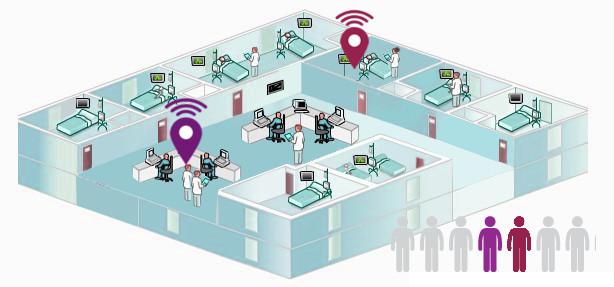
  • Reblog: Real-Time Location Systems (RTLS) For Hospitals: 5 Things To Consider

    Real-time location system (RTLS) technology is used in a variety of settings to determine an asset’s relative or exact location at any given moment. In hospitals and other healthcare settings, there are a number of reasons why RTLS technology is valuable:

    • Ensuring high-value equipment stays in the correct location.
    • Locating easily misplaced assets in high-traffic areas (say, an emergency room).
    • Receiving alerts if something leaves a hospital floor.
    • Monitoring people in the hospital, whether they are patients, doctors, or miscellaneous staff.

    RTLS technology has been around in various forms for about 15 years—so it exists in many different forms:

    • Infrared RTLS, like Versus.
    • WiFi RTLS, like Ekahau.
    • Ultra wide-band RTLS, like Zebra.
    • Low-cost RTLS, like AirFinder.

    Each type of RTLS solution has its benefits and drawbacks, and the solution best-suited for your needs depends largely on whether you’re involved with a health care system directly or an OEM who builds RTLS solutions for hospitals. Below, we’ll walk through five things you may want to take into consideration before you select a hospital RTLS.

    5 Things To Consider When Choosing A Hospital RTLS

    1. IS THE SOLUTION WITHIN YOUR BUDGET?

    • Tag costs: A $50 tag may not seem unreasonable—but if you need 5,000 tags, you may run into some budgetary constraints. Additionally, some solutions force you to use a proprietary tag technology instead of allowing you the choice through open source technology. This will definitely up the cost.
    • Power consumption costs: Be sure to consider how much power each tag or access point will draw as well as whether your system (or your customer’s system) can handle it.
    • Labor costs: If someone has to create an elaborate map in order to integrate your RTLS technology, you’re going accrue more labor costs.
    • Integration costs: If you’re integrating an infrared RTLS solution, this will require a great deal of work. You will have to install a tag reader in the ceiling of every room in the network and hardwire those readers back to a central access point. Of course, running cables and power through the ceiling of every room can be very disruptive and difficult to do.

    2. HOW COMPLEX WILL THE IT INTEGRATION BE?

    Working with the IT department to implement a new solution can be a frustrating experience, as it typically involves filling out a lengthy security questionnaire and waiting 3-6 months for approval. Some RTLS solutions—like AirFinder—require no IT integration whatsoever. Be sure to keep this in mind when crafting or purchasing a solution.

    3. HOW MUCH OF THE FACILITY WILL YOU NEED TO OUTFIT?

    If you’re only focused on tracking 10 items in five rooms, integrating an extensive infrared RTLS solution may be wasteful. Carefully consider what you want to track and how much of your hospital or health care system will be affected before choosing your solution.

    4. DO YOU NEED TO KNOW AN EXACT LOCATION OR A PROXIMITY?

    Does it matter whether you can triangulate the exact position of a tracked item, or do you just need to know a general location of the item, at the room level, within your hospital? Keep this in mind when you’re looking at solutions.

    5. WHAT DO YOU WANT TO TRACK?

    If you only need to track expensive capital assets, like an infusion pump or X-ray machine, spending $80 on an RTLS tag isn’t problematic. But if you need to make sure you know where Dr. Bob’s special surgery stool is (so his interns aren’t running around looking for it before the surgery can begin)—or if you want to track 1,000 pillows around the hospital—a $2 tag meets the use case more appropriately.

    The original article can be found here.

    To learn more about RTLSS contact us on [email protected]