Category: Blog

  • Proof of Delivery Management

    Proof of delivery (POD) is a method to establish the fact that the recipient received the contents sent by the sender. When the sender sends multiple documents through mail or through a courier service, there is a possibility of some not reaching the intended recipient.

    Proof of delivery becomes very important when legal and financial documents are to be exchanged between two parties. Commercial fleet operators also need to be able to confirm proof of delivery of goods to their customers.

    It is very common for vendors to send invoices with the supporting documents to customers. Most customers now deliver their own goods and have a customer sign the POD. A few days later, when the accounts department is chasing the customer for payment, the customer says they never received one of the items or then never received the invoice.

    With a document management system in place, rather than going into another office to find the paper-work stored in an ever-growing pile of files and folders, the accounts personnel can key in the order number, click search and retrieve the signed POD in a few seconds. They can then email it onto the customer. With the query settled, payment can be collected. Thus it leads to a better cash flow too.

    If you are considering the implementation of a document management system for your business, but you are still on the fence when it comes to selecting the right solution, please e-mail us on sales@rincon.co.in and we will be glad to assist you.

  • Document Management System for Legal Departments / Law Firms

    The legal department of an organisation or for that matter, a legal firm has to deal with a plethora of documents ranging from court records, transcripts, case files, arrest records, affidavits, evidence files, witness testimonies, contracts, case information, pleas, documents, e mails and other data. These exist as silos of information within the organisation yet are of paramount importance as they complement each other. Physical filing process can lead to document damage and blurring or blotting out of the information that maybe needed to retain.

    With a Document Management System in place,

    • Users can organise everything for a particular case right from client–documents to email to case information and notes. All of these in one single place!
    • Increased productivity and improved response times
    • Less time wasted in searching through extensive paper documents to find that single page

    If you are considering the implementation of a document management system for your business, but you are still on the fence when it comes to selecting the right solution, please e-mail us on sales@rincon.co.in and we will be glad to assist you.

  • Email – The Silent Killer?

    Estimates suggest that there are around 150 million emails sent every 60 seconds. That’s over 90 billion every hour, and more than 200 billion every day. That’s an incomprehensible amount of information, and it’s no wonder that millions of inboxes are full-to-bursting with messages.

    We have all, at one time or another, experienced the irritation of trying to locate an email we received in the past. Whether it’s a week ago or a month ago, it’s a painstaking task that has become so engrained in our working lives that we accept it as unavoidable – it’s simply a price we have to pay for the easy, instant communication methods we use.

    Everyone understands that minutes spent searching through cluttered inboxes are minutes wasted, but is there anything else, apart from irritation, that’s happening when we’re faced with email overload?

    Maybe there is. A study conducted by researchers at Loughborough University set out to investigate the physical effects email has on us. They tracked the blood pressure, heart rate and Cortisol (stress hormone) levels of 30 government employees throughout their daily work activities, while the subjects themselves kept a diary.

    Their findings were remarkable. They showed that while an email was no more stressful than a phone call, it was the volume of emails received over the course of a workday that made it by far the most stressful communication method for workers. Elevated heart rate, increased blood pressure and increased Cortisol levels were all exhibited by the subjects, which, over time, can lead to various serious long-term illnesses. It’s no great leap to assume that millions of people are in the same boat – and this was just one study, the long-term effects of email are still yet to be observed.

    Of course, the effects of email on an individual will vary depending on the content of the message itself, and the task taking place when the email arrives. The study mentioned that emails containing praise were, unsurprisingly, not stressful to the recipient. Emails that interrupted a task, or were not relevant to the recipient, however, were noted to be the most stressful.

    So what do we do? Do we delete our email clients? Correspond entirely by carrier pigeon? Perhaps, but maybe an easier solution would be to deal with email more effectively.

    Prior to working at Oasys, like most people I used bog-standard Microsoft Outlook for everything related to email. It was great, for the most part, until my mailbox reached the maximum size and I was faced with the tedious task of scanning through thousands of emails and deleting what I thought I wouldn’t need anymore. Or when I needed to reference an email that I’d received months ago, or, even worse, when I needed to reference an email sent to a colleague who had since left the business. While great for sending and receiving, when it comes to organising, storing, sharing and managing emails, Outlook leaves a lot to be desired.

    Since joining Oasys and using Mail Manager, problems like this really are a thing of the past. I can view emails categorised by topic, project or any number of variables from when Oasys first began using Mail Manager all those years ago. The entire email thread is there, including what every recipient said, when they said it, along with all the attachments. Everything is stored in one central location, not stuck in individual mailboxes, meaning if someone leaves, valuable communication data isn’t lost.

    By far the most useful feature for me is the search tool. I always found Outlook’s search results to be too broad to be meaningful, and even after searching I would need to wade through dozens of results to find the correct one. This really isn’t the case with Mail Manager, which smartly filters out anything I haven’t specifically asked it to find. All in all, it makes for a much faster, easier experience, and as we know from the Loughborough study, this can only be a good thing.

    You can’t stop an email popup derailing your thoughts at a crucial point in a document, and you can’t stem the flow of messages into your inbox, but you can take back control of your email. You can, in essence, make your working life easier.

  • ISO Certification – Can a Document Management System help?

    iso9001

    ISO 9001 certification is a must-have for most manufacturing and service companies.  The certification is increasingly required in subcontracts, especially by European multinationals.
    It helps in:
    • Increased marketability
    • Reduction of operational expenses
    • Better management control
    • Increased customer satisfaction
    • Improved internal communication
    • Improved customer service
    • Reduction of product-liability risks
    • Increased attractiveness to investors
    To achieve ISO 9001 certification, a manufacturer must collect, update and share its large library of ISO documents with single point access to the latest documentation.  This is a humongous task using paper-based documents and processes. Digitising the document processes would help simplify and streamline the certification process.
    Some of the processes that must be standardized and documented in ISO 9001 include:
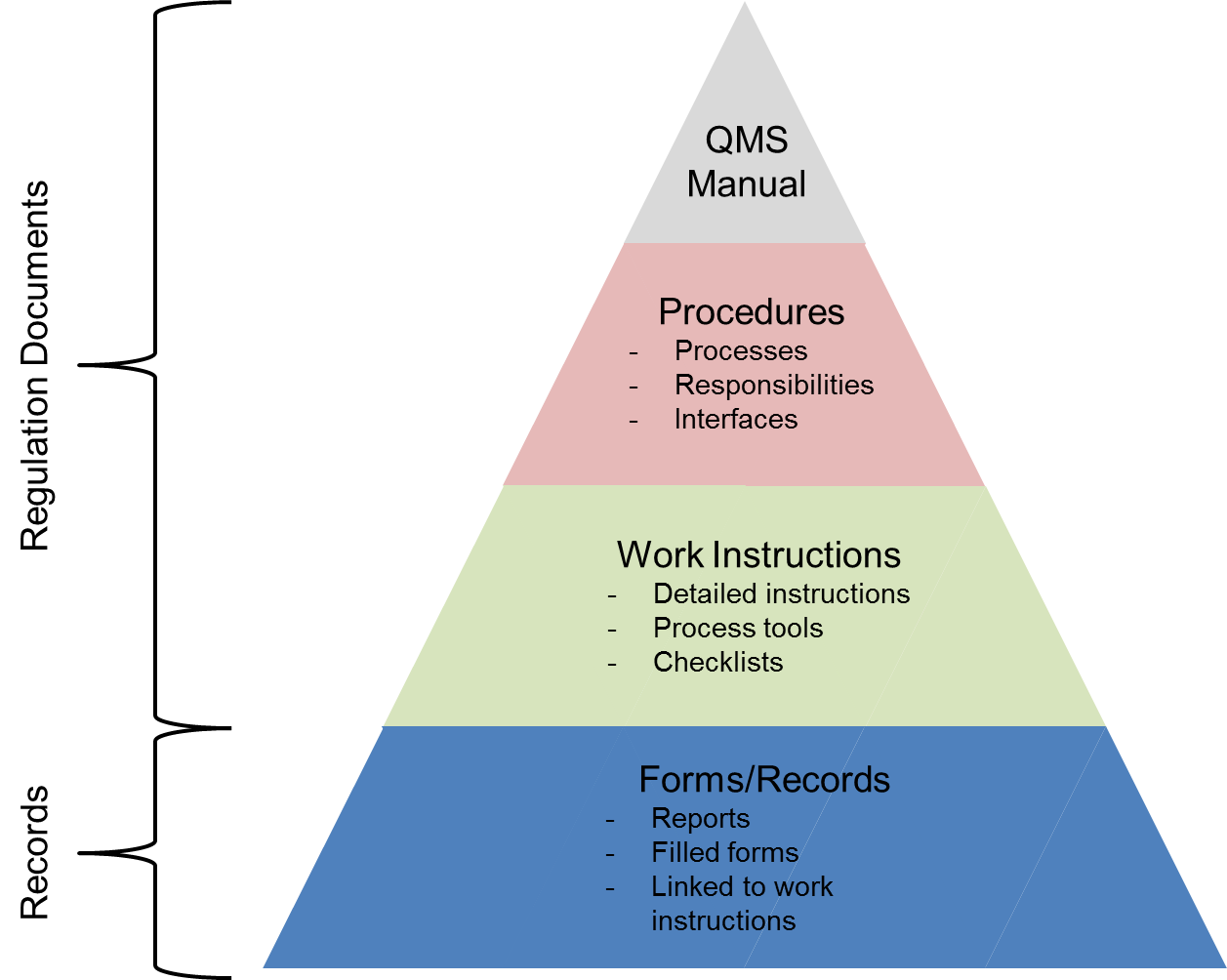
    • Quality Manual – The quality manual defines how each requirement of the rather generic ISO 9001:2008 standard is applied at the company.
    • Quality Procedures – The quality procedures are the essence of the ISO 9001 documentation. The ISO 9001 quality procedures explicitly describe how certain key processes within the company must be performed and who is responsible for them.
    • Quality Policy – The quality policy is the company’s policy defining its stance towards quality and customer satisfaction.
    • Quality Objectives – The quality objectives define measurable goals relative to the company’s quality management system.
    • Process Flowchart – The process flowchart is a description of how the various processes of the ISO 9001 QMS interact with each other.
    • Work Instructions – Work instructions are the most detailed and most company-specific of all ISO 9001 documents. Work instructions describe in detail how particular tasks must be performed. Work instructions are typically written by the people who perform the actual work.
    • Records – Records are different from the above documents, all of which provide directions on how to conduct business. Records, on the other hand, are evidence of things done. ISO 9001:2008 contains numerous explicit requirements on records plus requirements for many more undefined records.
    Most organizations are unaware that even if they previously went through the ISO 9001 certification process, things are changing. A new ISO 9001 standard has been published in September 2015. This means that the ISO 9001:2008 standard will become obsolete on September 14, 2018, and that all ISO 9001:2008 certifications issued in late 2015 and beyond bear an expiry date of September 14, 2018.
    There has never been a better opportunity than now to examine the underlying document management practices associated with ISO 9001 certification. Certifying against the new standard provides an opportunity to view ISO 9001 not only as a paper documentation exercise, but as an opportunity for digitizing document processes – and in the process transforming the business. Leading organizations are increasingly realising that if approached strategically through a document management system, compliance-mandated digital documents can provide a foundation for more effective processes throughout the business and provide insights that are critical to digital transformation.
    If you are considering the implementation of a document management system for your business, but you are still on the fence when it comes to selecting the right solution, please e-mail us on sales@rincon.co.in and we will be glad to assist you.
  • Why do Housing Finance Companies use Document Management Systems?

    mortgagedocuments

    A Housing Finance Company (HFC) processes loans at multiple locations, and retains all related documents at the local / zonal office. Each files received consists of multiple documents and should be filed and processed swiftly considering the competitive environment.
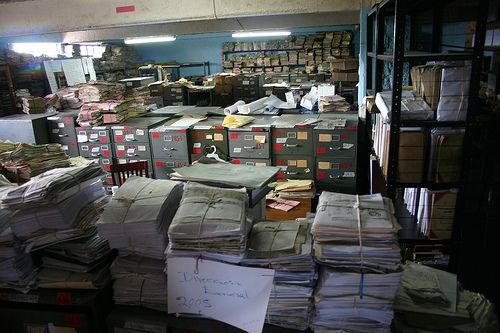
    In the manual process, documents need to be stored physically in the office resulting in wastage of expensive real estate. Additional paperwork needs to be stored in the right place with the other documents so as to make it easily accessible. This results in a lot of time and money spent on handling paper. Finding the correct document is akin to finding a needle in a haystack especially at the time of audits or at the time of a default.
    With a document management system in place,
    • All documents are scanned and archived on a central server thereby making it available to users anywhere (provided they have the requisite rights and permissions).
    • Expensive real estate can be put to better use and documents can be stored off site.
    • The concerned people have access to the records from anywhere they work using the web or mobile interface.
    • Improve workflow, response times and efficiency
    • Reduce costs
    If you are considering the implementation of a document management system for your business, but you are still on the fence when it comes to selecting the right solution, please e-mail us on sales@rincon.co.in and we will be glad to assist you.
  • Document Management system for Property Management organisations

    paperpiles

    A Property Management organisation is one that looks after the management of personal property, equipment, tooling and physical capital assets that are acquired and used to build, repair and maintain end item deliverables. Property management involves the processes, systems and manpower required to manage the life cycle of all acquired property as defined above including acquisition, control, accountability, responsibility, maintenance, utilization and disposition.

    These organisations have to manage leases, contracts, notices, and other property records in a property document management system that keeps important property documents secure and makes them easily retrievable.

    With a document management system in place, property managers, property owners, and property management staff can use it to improve efficiency and make informed decisions regarding the leasing and ownership of property.

    A document management system keeps all records, including important plans and facilities documents, ready for access. Authorised persons can access files outside the office using Web and Mobile access. Users are able to search and retrieve documents on the fly thereby enabling them to make faster and more accurate decisions.

    If you are considering the implementation of a document management system for your business, but you are still on the fence when it comes to selecting the right solution, please e-mail us on sales@rincon.co.in and we will be glad to assist you.

  • Reblog: Mobility and the User Experience

    ipad-handsIt should come as no surprise that mobile communications are no longer the wave of the future: they are the wave of today. Here are some recent statistics:

    • The number of mobile devices in use will jump from over 7.7 billion in 2014 to over 12.1 billion by 2018. (Source: The Radicati Group, Inc., February 2014)
    • In 2014, for the first time ever, time spent on mobile apps exceeded desktop web access (Source: Marketing Charts)
    • Over 50% of total email opens occurred on a mobile phone or tablet in Q3 2014. (Source: Experian “Quarterly email benchmark report [Q3 2014]”)
    • And last, but certainly not least, – 64% of employees rarely use enterprise mobile apps because of poor user experience. (Source : Forrester)

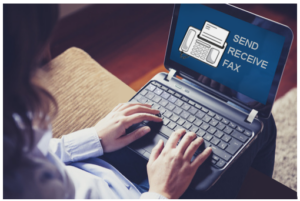
    When we developed XMediusFAX® one of our predominant concerns was to offer users an elegantly simple way to send and receive faxes from the entire range of communication tools, including desktop and email clients, web-browser interfaces, MFPs and mobile devices. With each revision and upgrade, making the user experience even better has been a priority.

    What constitutes a better user experience? Certainly functionality is an essential part of the equation. Is the fax solution comprehensive and versatile enough to address all the user’s needs, whether for communication, tracking or security? Does it improve productivity? Does it enhance rather than impede the workflow? From the user experience perspective, is it simple, easy and enjoyable to use? Does it make your work life easier? Is it intuitive–does it do what you want it to do in the way that you want it to?

    All these considerations were top of mind when we designed the XMediusFAX® for iPhone and iPad app.

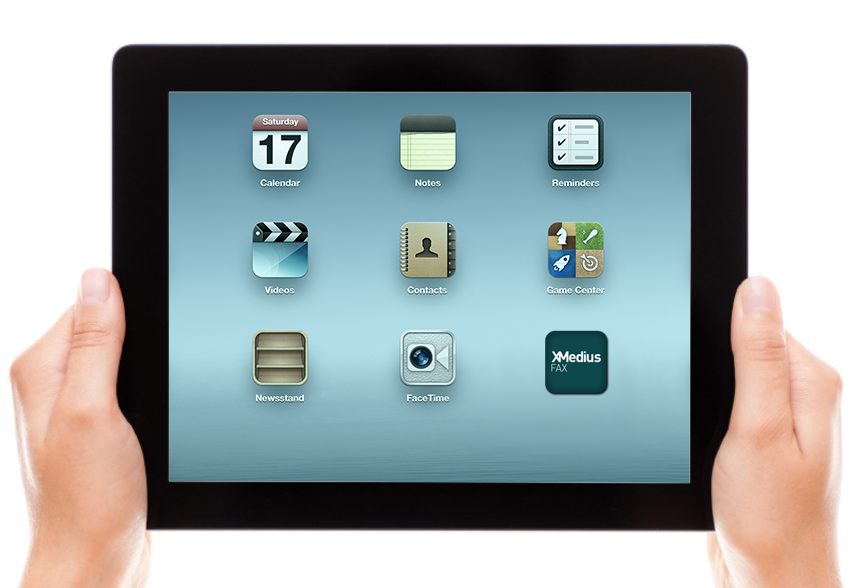
    First and foremost, the app allows users to fax documents anywhere and at anytime without the need for a fax machine, a computer or phone lines. And we designed it so that faxing from a mobile device is as simple as sending an email. Unlike email, though XMediusFAX® for iPhone and iPad provides the highest levels of security which enables compliance with the full range of regulatory and compliance mandates.

    We also created an easy-to-use touchscreen interface to optimize the faxing experience. With this interface, users can:

    • Transmit documents to the same fax numbers they have always used
    • Fax legal documents upon signature
    • Select documents from virtually any mobile file management application, such as GoogleDrive and DropBox
    • Use the embedded camera in the iPhone or iPad to scan documents to be sent
    • Fax documents from within any other mobile application that can export PDF, MS Word or image files–or any other format supported by the fax service

    Moreover, in response to expressed user needs, we have provided flexible options for selecting fax recipients–users can select existing contacts, for example, or enter new contacts on the fly.

    Finally, we included enterprise grade features that provide a variety of easy-to-configure fax options, from personalized cover sheets and delayed faxing to notifications and tracking.
    In short, our goal has been to make faxing from a mobile device as versatile, secure and easy as faxing from a desktop or web browser.

    With XMediusFAX® for iPhone and iPad, we’ve tried to create the perfect mobile complement to our XMediusFAX® on-premises and cloud solutions.

    If you are considering the implementation of a fax automation system for your business, but are still on the fence when it comes to selecting the right solution, please e-mail us on sales@rincon.co.in and we will be glad to assist you.

    The original post is written by Marcello Michelet Quintaes and appears here.

  • Fax Automation Simplified

    Since 1998 Rincon has been at the forefront of faxing technology across India and has customers in Sri Lanka and Bangladesh as well.

    faximage

    Why do organisations use Rincon? Rincon has been a market leader with a proven and trusted record. Our credentials speak for themselves :

    • Delivered and managed in excess of 250 projects across customers
    • Large banks, mutual funds, insurance companies use Rincon
    • Blue chip customers include Finance, Government, Healthcare, Utilities, Supply Chain & Logistics and FMCG
    • Cisco and other IP telephony implementations
    • Multi-site and geographical deployments using Analog, E1 PRI, T1, FoIP and SIP Trunk
    • Rincon has enabled organisations across India, Sri Lanka and Bangladesh become agile and better at communication, more organised and effective
    • Rincon offers solutions to suit the customers’ needs and not necessarily pitch solutions it has
    • Integration with SAP, Filenet, IBM CM, MS Exchange, Lotus Domino, Digital Sender and MFPs, Avaya, CISCO, Nortel, Siemens, Matrix, Alcatel, Audiocodes amongst others.

    If you are considering the implementation of fax automation for your business, but are still on the fence when it comes to selecting the right solution, please e-mail us on sales@rincon.co.in and we will be glad to assist you.

  • Document Management System for Accounts Payable

    Accounts Payable (AP) is a basic function of every organisation. Whatever be your business, you will have invoices to pay, processes to adhere to and accountability to document. Missed early payment discounts, late fees, lost invoices, dozens of calls, emails, faxes, and other inefficiencies can substantially drive up your operating costs.

    Beyond invoices and payments, there are compliance issues surrounding accounting. Auditors require an ability to keep track of and report all aspects of your accounting system and processes including Accounts Payable. Failed audits resulting from lost documents or poor documentation can result in large fines, or a range of other penalties.

    With a Document Management System (DMS) in place, you can ensure processes are being adhered to and are fully auditable. It allows you to:

    • Secure and keep track of all incoming invoices and related documents (PO’s, notes, GRNs, etc.)
    • Ensure early payment discounts and eliminate late payment fees
    • Reduce data entry errors
    • Compare approved purchase order amounts to invoices and eliminate overpayment
    • Ensure all your accounting procedures and approvals are adhered to using automated routing for review, approvals, and processing

    If you are considering the implementation of a document management system for your business, but you are still on the fence when it comes to selecting the right solution, please e-mail us on sales@rincon.co.in and we will be glad to assist you.

  • Document Management Solutions (DMS) for the Freight Management sector

    dmsblog500x204

    The freight management sector is innudated with tonnes of documentation for consignments they handle. Rail, sea and air freight handlers have to manage documents for each consignment they handle, ranging from shipping notes to dangerous goods notes, waybills and bills of lading to name a few.

    Every document is important and should be available when required by receipting agents, customs or other parties. Having correct documentation on hand allows efficient loading, unloading, clearance through customs, shipping and tracking – minimising delays, storage charges, fines and lost shipments.

    Shipping containers more often than not handle multiple consignments each of which must be handled and documented separately. Non-availability of documents could lead to potential delays in clearance, demurrage and other penalties.

    With a Document Management system in place, freight management organisations can capture all shipping and delivery documentation as it is created and be made instantly available when required facilitating problem free transit. It provides instant and simultaneous access to documents for people across the organisation, accelerating reconciliation and improving cash flow.

    It gives the organisation an advantage when it comes to managing their core activities. It helps locate documents in a jiffy and is accessible and affordable. It helps improve the department efficiency by reducing the time spent managing paperwork and approvals.

    If you are considering the implementation of a document management system for your business, but you are still on the fence when it comes to selecting the right solution, please e-mail us on sales@rincon.co.in and we will be glad to assist you.