Tag: Compliance

  • Reblog: Going Beyond HIPAA: 5 HIPAA-Related Pitfalls And How To Avoid Them

    The Health Insurance Portability and Accountability Act (HIPAA) is a very complicated compliance standard to tackle. There are strict privacy requirements surrounding the handling of patient medical and personally identifiable information, but how these requirements are met is left largely up to the individual healthcare organizations. Add HIPAA’s requirements for portability and accessibility to the fact a given healthcare organization’s electronic medical records (EMR/EHR) system may not be able to directly communicate with another organization’s and exchanging protected information can get complicated.

    The complicated process of exchanging protected health information (PHI) opens the door to accidental HIPAA violations, and potentially worse, a full-scale data breach. To help, here are 5 common HIPAA pitfalls to avoid while you navigate the path to compliance:

    Insurance Claims Denial

    Every organization that needs to comply with HIPAA should be keenly aware of the costs of a data breach, but what happens if a violation or breach happens anyway?

    Organizations typically have some kind of insurance policy to protect against damages from HIPAA violations or data breaches, but it is not uncommon for them to have their claim denied over improperly filled out applications, a failure to maintain adequate security, or otherwise not meeting the requirements placed by the insurance company.

    Insurance providers may have security requirements that go beyond what is required by HIPAA. It is important for organizations to meet these requirements not only to ensure their insurance policy is valid in the event of a breach but because they can often help an organization shore up its security, helping to avoid a breach or violation in the first place.

    Lawsuits and Legal Expenses

    The annual cost of a Data Breach Report 2019 from IBM Security and the Ponemon Institute indicates one of the biggest expenses related to a data breach isn’t the fines from the violation itself, rather the “post-data breach response.” That is, everything related to helping customers affected by a breach, as well as costs associated with redressing the situation, paying reparations, and dealing with any legal fallout from partners.

    What this means is that while complying with requirements laid out by HIPAA and insurance policies is essential, it is also vital to ensure your organization complies with every other relevant law, standard, business associate agreement, or even contractual obligation. Considerations even extend to things like PCI DSS compliance if a given healthcare organization accepts or handles credit card payments, satisfying state laws for protecting patient and employee information, and ensuring the organization and its employees meet professional licensing requirements.

    There are multiple reasons for this. Not only does compliance with many of these requirements help bolster your organization’s security posture, but it also helps to ensure any available legal protections are applicable and works to mitigate liability if a HIPAA violation does occur. This in turn can help reduce the overall cost of the post data breach response.

    For example, if an organization contracted to handle payment processing for a major hospital suffers a data breach resulting in a HIPAA violation, the hospital may hold them responsible for damages if the payment processor failed to meet PCI DSS compliance, regardless if they were meeting the requirements for HIPAA compliance. On top of this, the payment processor may see their insurance claim denied over failing to maintain PCI DSS compliance.

    Hardware and Software Misconfiguration

    Setting up an IT environment is complicated in the first place. Add in HIPAA compliance requirements, contractual and insurance obligations, and meeting other applicable standards and legal requirements like the ones mentioned above, and it’s a recipe for confusion. Confusion, in turn, leads to mistakes.

    A best practice for mitigating this confusion is to identify all of the requirements for your IT environment, both in regard to the functions it needs to perform and the legal and security requirements it needs to meet. From there, generate a thorough checklist for every individual piece of hardware and software that needs to be implemented, being sure to include things like proper environment architectures, app security policies, and even steps for testing to ensure the environment and all of its components are functioning as intended.

    Falling Out of Compliance

    Basic logging and monitoring is a requirement of HIPAA, however, modern monitoring solutions can do more than meet HIPAA requirements. Many of these solutions can not only deliver valuable insights into usage trends in your IT environment, but many are capable of proactively identifying security risks. These risks can include misconfigurations, suspicious network activity, and applications or hardware that have fallen out of compliance or need a software update.

    Further, in the event of an audit or incident, a quality logging solution can help provide clear insight into user and environment activity. Detailed logs can help rapidly address the requirements of a compliance audit as well as in identifying the source of a data breach if one occurs.

    Insufficient Auditing

    An organization leveraging a quality logging and monitoring solution should not stop there, however. While it may deliver meaningful and actionable insights into your environment’s activity, audits remain the best way to assure ongoing compliance. Organizations may leverage internal compliance assessment teams and monitoring solutions, however, it is possible for organizations to erroneously believe they are compliant when they are not. As such, it remains a best practice to leverage an expert third party to conduct compliance and security audits, including for HIPAA.

    Every time a new piece of hardware or software is implemented, one of the last steps on the implementation checklist should be to audit the entire IT environment before making it live. An audit serves as a final check to ensure applications and hardware are properly configured, the environment is architected in the most efficient way. An audit can also check to ensure that the organization is in fact meeting all of the requirements and criteria for HIPAA and any other applicable legal requirements and security policies like those noted above. The audit can also check to ensure that security policies, procedures for implementing the policies, and evidence they’ve been implemented have been properly documented and that those policies have been updated as appropriate.

    If security gaps or any other issues are identified in this audit, the organization will then have a chance to remediate these issues before the environment goes live and the issues actualize into real problems. Organizations should leverage both regularly scheduled as well as random audits to help avoid any undetected error or issue that could result in a breach or falling out of compliance. Additionally, in the event of a breach or HIPAA violation, regular audits may help mitigate claims that a given organization was negligent in their security practices.

    The original article can be found here.

    For more information e-mail us at sales@rincon.co.in and we will be glad to assist you.

  • Reblog: Why Do Organizations Still Choose an On-Premises Solution in the Age of the Cloud

    Cloud solutions offer a lot of potential benefits for organizations looking to upgrade their communications infrastructure. They can be scalable, reliable (thanks to geo-redundancy & high availability options), and can allow reductions in staff costs. However, they aren’t for everyone. Some organizations have requirements that Cloud can’t fulfill at this time.

    1. A Hands-On Approach

    Cloud deployments typically get managed outside of the organization. For large enterprises or organizations in regulated industries, handling sensitive data carries with it significant risks. If it is mismanaged, the organization could be fined, or worse, a poor reputation could be the result, causing business to evaporate. Everything is riding on the host of your organization’s communications solution.

    When there is an outage or a system failure, getting the critical services to your organization back up and running is again left up to the host. In contrast, an on-premises solution allows your team of experts to take matters into their own hands and resolve them as quickly as possible.

    2. Following Industry Rules and Regulations

    If an organization is in a highly regulated industry, like finance or healthcare, there are strict compliance standards that need to be followed such as HIPAA and SOX. Not every cloud provider offers the right security measures for every organization. Some organizations need to keep their communications out of the Cloud and in their physical control.

    3. What Level of Support Do You Expect?

    If your organization is used to having the best of the best in-house, migrating to a cloud might be too painful at this time. Internal support who knows your systems integrations inside and out can ensure rapid response times, easily troubleshoot system failures, and ensure protocols are followed. It can be hard for executives to give up being able to walk down the hall and knock on the system administrator’s door.

    4. CAPEX vs. OPEX

    Different organizations have different budgeting habits and limitations. Some might need to plan for a one-time expense instead of a subscription-based service. This can be the case for charities, businesses, and government offices who know they have the budget now, but can’t easily predict fluctuations in donations, allotments, or business in the future.

    The upfront cost can be less with an OPEX model communications solution; however, the overall cost continues for its ongoing services. With a CAPEX model, the ongoing costs are smaller, with much of the expense front-loaded.

    The original article can be found here.

    XMedius Enterprise Communications Solutions

    XMedius has developed a powerful range of enterprise-grade communications applications, such as FoIP, Unified Messaging/Voicemail, Call Center, Secure File Transfer, and more. These solutions are designed to deliver excellent ROI by increasing efficiency while preserving operational security.

    We offer our Unified Communications and secure document exchange products both in the Cloud and On-Premises, allowing organizations to utilize the model that works best for them.

    Both deployment styles of our products have options that include high availability, security to keep your communications safe, and interoperability to leverage your existing infrastructure and meet the changes of tomorrow.

    For more information e-mail us on sales@rincon.co.in and we will be glad to assist you.
  • Reblog: The enduring appeal of fax -Why it refuses to go away

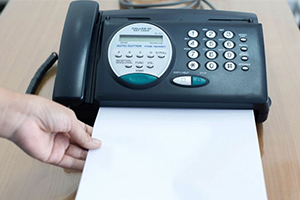
    As different forms of business to business communication have come and gone over the years, there is one which refuses to go away. In fact, for many industry sectors, it continues to be an essential channel of communication.

    Time and time again, we’ve read articles predicting its final demise.

    Yet fax continues to hold its own, surviving and thriving in certain sectors where other forms of communication don’t provide the same level of simplicity, proof of delivery or, in some cases, levels of security.

    Anecdotal evidence from Japan is that faxing is still very common, and that virtually every office and workplace is equipped with the ability to send and receive faxes. Faxing is still in use for everyday communications such as replying to party invitations.

    We should add at this point that Japan is a special case, with a complex alphabet which makes hand writing messages preferable on many occasions. Perhaps there is even a cultural attachment to the personal aspect of sending a fax, but even so, evidence of the enduring qualities of fax comes from around the world.

    A 2017 survey of German companies with at least 20 employees found that:

    • 70% of respondents said they sent fax messages ‘often’ or ‘very often’
    • Amongst businesses with less than 50 employees, this figure rose to 77%

    The message is clear – if you want to do business with Germany or Japan, you need to include fax in your mix of communications channels.

    Yet this phenomenon is not confined to just these countries. A 2017 IDC (International Data Corporation) survey of senior decision makers in financial services, healthcare, government and manufacturing, across North America, Western Europe and Asia Pacific, found that the use of faxes was actually on the rise.

    • 82% of respondents had seen their use of faxes rise or stay the same compared with the previous year
    • The volume of faxes being sent had risen by 27%
    • Across the 3 regions, the average predicted growth in fax volume over the next 2 years was 25%

    Whilst it might be assumed that the healthcare and legal sectors make more use of faxes due to the paper trail they leave, the projected growth was spread across all sectors:

    • Finance – 20%
    • Healthcare – 25%
    • Government – 27%
    • Manufacturing – 29%

    Other reasons for the ongoing global appeal of faxing are varied:

    Compliance

    Sectors such as healthcare, legal, finance and government demand high levels of data and communications compliance, for example in maintaining a clear paper trail for certain processes and transactions.

    Many jurisdictions only accept signatures on faxed documents as being legally binding, and the fact that sending a fax produces an instant acknowledgement and record of receipt, contributes to the sense of reliability as a communications medium.

    Simplicity

    The simplicity of faxing is also an advantage in sectors such as manufacturing, when getting the right documents signed by the right people in a hurry is frequently advantageous.

    Many businesses still rely on keeping individual copies of receipts, invoices and contracts, and faxing is still the simplest means of ensuring that papers such as these go to exactly the right person, without being lost amongst the avalanche of emails received on a daily basis.

    Security

    Across all sectors, the security offered by faxing can be a huge advantage.

    Faxes can’t be tampered with once sent; nor can they carry a hidden virus.

    This advantage was underlined when Sony Pictures suffered an embarrassing cyber-attack in 2014, during which thousands of private emails were published online. In 2016, the chief executive of Sony, Michael Lynton, revealed that in response to the attack, he now writes out sensitive messages by hand and sends them by fax.

    The handwritten approach may seem a bit over the top for some, but the security and peace of mind offered by faxing is clear.

    In summary

    Fax remains a vital component of business communications across many industries. The benefits fax provides ensures its enduring appeal as a communications vehicle, that other comm’s methods such as email simply can’t match.

    Our ever-popular Zetafax network fax solution continues to meet on-going demand, offering the advantages of faxing combined with the flexibility of online hosting. It is used by more than 65,000 customers worldwide and improves on manual faxing through factors such as:

    • Cost cutting automation
    • Automated archiving
    • Support for Fax over Internet Protocol (FoIP)
    • Integration with other applications

    For more information e-mail us on sales@rincon.co.in and we will be glad to assist you.
    The original article can be found here.

  • Reblog: Are free online fax solutions right for companies?

    Choosing a free online fax solution versus a professional service will depend on an organization needs in terms of security features, customer service, and support.

    With all its advantages, online fax technology is increasingly popular within organizations that need to exchange documents on a regular basis. At the same time, alternatives to the traditional fax have been developed by numerous providers. Some developers even present solutions that they offer free of charge over the Internet. But are these free online fax solutions appropriate for companies?

    Here are a few features that highlight various shortcomings of these free Internet fax programs.

    Free online fax solutions and data security

    As recent news about data breaches and compliance issues will show you, more and more companies need to improve the way they handle personal information about their customers or any other sensitive data that may have a high value for defrauders. It’s clear that data security has become a major issue for many organizations.

    To ensure the confidentiality of documents transmitted online, certain telecommunications companies have developed effective solutions for secure transfer, assuring users that their documents can only be consulted by the intended recipients.

    Procedures such as encryption or transit over highly secure infrastructure can guarantee users of an online fax service that their messages will remain confidential.

    It is also possible that the messages received may be infected by computer viruses. It is therefore a good idea to make sure that the selected service can identify the presence of this kind of threat.

    However, these security features are very rarely a privilege of free online faxing, making them a risky choice for companies that work with sensitive data.

    Performance can differ between free and professional services

    Since each company is different, their communications needs will differ based on factors such as their size and their area of business. For example, some organizations require archiving tools, while others must regularly send large files that exceed email attachment limitations.

    However, free fax services often offer only basic options that do not include long-term storage of documents or the sending of larger files.

    Fax solutions providers, on the other hand, offer solutions tailored to their customer’s needs. Organizations who are looking for specific features, like the ability to transmit larger files, customizable security options, and an audit trail, for example, will find that consulting with fax service providers on the options available to them will work better for them in the long run. Today’s fax solutions come with an assortment of volume-based pricing options, so in the end, organizations only pay for their typical usage.

    Support offered by online fax service providers

    Implementing an online fax service may require technical skills that only specialists possess. For companies that need to send faxes daily, a service interruption can cause significant problems.

    For this reason, companies moving to fax over IP solution should be able to count on support from their service provider. Although free fax solutions usually offer customer service, it is rarely fast, nor would a user be able to get the full support they require.

    With a full-featured online fax solution, the customer obtains the benefits of a technical team and 24/7 customer support. This minimizes the risk that a lengthy service interruption will impact the organization’s activities.

    Online fax solutions from XMedius

    In light of this information, although free online fax solutions may be appropriate for certain users, they can be a risky choice for companies that don’t want to find themselves in an unfortunate situation because of their shortcomings.

    In order to benefit from secure transfers, added features and constant technical support, put your trust instead in a recognized provider like XMedius.

    XMedius is a world leader in the field of secure file transfer solutions for companies. It developed the first all-inclusive fax over IP software in the industry. The services it offers have what it takes to meet the needs of all organizations.

    The original article can be found here.

    For more information e-mail us on sales@rincon.co.in and we will be glad to assist you.

  • FileDirector Express

    What small businesses have been waiting for:

    • Simple, fast, economic, express
    • Rent instead of buy – just pay for use
    • Up to 10 simlutaneous users
    • Local installation – local storage
    • Always the latest version
    • Compliance and security

    FileDirector express is the ideal Electronic Content Management solution for small businesses and start-ups. Simple to install, simple to set up, simple to use, and with no upfront costs. FileDirector express is the essential tool for your business, but without the capital commitment and you can evaluate FileDirector express 30 days free of charge.

    The benefits of an intelligent Electronic Content Management solution are self-evident. Documents will be captured, stored, managed and retrieved quickly and easily. You are able to rapidly access relevant information according to your needs. What’s more, staff will not waste time or money on duplicating or distributing documents. Scanning avoids all these unnecessary actions and gives you and your colleagues more time to concentrate on the essentials. On top of this, document storage costs are reduced as considerably smaller physical document storage space is required.

    What is just as relevant are factors such as better security control, and audit trail options. You decide at all times who has access to your documents. Then there is also the improvement in customer satisfaction, as a result of faster response times.

    A further – and not insignificant – argument for the use of FileDirector express is compliance with statutory requirements, since we help your organisation to minimise the financial or legal risks which can be caused by lost, damaged or improperly used information. Thanks to FileDirector, complying with the data protection provisions on retention periods and destruction of documents becomes child’s play.

    E-mail us on sales@rincon.co.in for more information and we will be glad to assist you.
  • Why Fax is Still Important?

    Fax is legally binding

    • UETA of 1999, fax contracts are legally binding
    • Regulatory compliance – Personal Data (Privacy) Ordiance (Cap. 486), HIPAA, Sarbanes-Oxley, Graham-Leach-Bliley Act, Basel II
    • For highly regulated industry, e.g. Banking, Finance & Insurance, Legal Firm, Health Care, Hospital
    • EMail is not legal binding

    Email is not secure

    • Email is transmitted through the Internet, captured and scanned by various third parties e.g. Hilary email scandal
    • Avoid hackers which lead to information leakage
    • Avoid Locky Ransowmare Virus

    Email cannot protect privacy (PIA)

    • Sending privacy documents through email means information exposed to the public

    Fax is a tamper-proof transmission

    • Fax is a secure “point-to-point” communication but email is not
    • Proof of delivery with exact time stamp
    • During transmission, cannot copy, tape and hack
    • Avoid email blocking, delay or attachments missing

    A universally accessible and accepted format

    Why use Fax Server to Replace Fax Machine or MFP Fax?

    Consolidation & Audit Trail

    • Consolidate all fax transmission
    • Centralize all fax records and provide audit trail
    • Avoid users sending unauthorized documents

    Save Cost and Achieve Green Office (Environmental Protection)

    • Consolidate all fax machines and MFP fax
    • e.g. 20 fax machines or MFP fax line can consolidate to 4 to 8 lines fax server
    • Compliance with ISO14000
    • Reduce fax line, manual work, fax consumption
    • Save electricity, water, trees, papers, etc

    Efficient and easy to use

    • Send fax throug desktop, email, web, ERP
    • Auto-faxing: Can integrate with backend systems to send fax automatically

    E-mail us on sales@rincon.co.in for more information and we will be glad to assist you.

  • Reblog: 3 Major Data Security Risks Every Business Should Know About

    Let’s face it – regardless of size and industry, the success of any organization relies on sensitive data. In 2016, news and media outlets were flooded with stories about cyber attacks – from the personal records of nearly 30,000 FBI and Department of Homeland Security workers’ personal records getting hacked, to dozens of celebrities’ private photos being leaked online. Terms like data security and cybersecurity that were once reserved for IT and security professionals became household names. Just last month, what’s considered to be the biggest ransomware attack in history hit tens of thousands of computers all over the world, disrupting businesses of all sizes.

    With a growing public awareness of the data security risks organizations are faced with, companies of all sizes are under more pressure than ever to keep operations running smoothly without any interruptions from cyber attacks and other data security incidents.

    The truth is that when organizations lose sensitive data, they face an extensive list of liabilities. Costs associated with data breaches can include reimbursement to customers, data recovery fees, and even worse – legal fines. Perhaps the worst consequence of a data breach is that it damages an organization’s reputation. Research conducted by Unisys Corporation revealed that the majority of people would not only lose faith in an organization in the event of a data breach, they’d stop doing business with them altogether. Who can blame them? When cyber attacks and other types of data breaches occur, it’s the public’s health records, credit card numbers, and more that are at stake. Let’s take a look at some of the most prevalent data security risks affecting businesses in 2017, and examine a few ways that organizations can fight back and take their data security to the next level.

    1. Employees Don’t Know How to Protect Data

    Up until recently, security skills in the workplace wasn’t a topic of discussion, much less part of a standard employee training regimen. Most people just assume that their organization’s IT department has the whole “data security” thing covered. It’s safe to assume that unless we work for a company specializing in IT security, the average worker goes about their day handling and sending sensitive data without thinking about hackers or data loss. It’s actually the lack of security awareness and skills that makes organizations an easier target for hackers or disgruntled employees who have access to networks and admin accounts.

    When organizations implement an information security and risk management (ISRM) strategy, it raises awareness and helps everyone to do their part. An ISRM strategy will look different from organization to organization, but a solid internal strategy involves identifying vulnerabilities and putting a few best practices in place. For example:

    Mandatory compliance training for all employees in environments where protected health information (PHI) and personally identifiable information (PII) changes hands regularly. That’s right; not just doctors, administrators, mortgage brokers, and account managers – all employees.

    Training sessions that teach employees best practices such as managing passwords for various devices, locking workstation screens when leaving your desk, the proper handling/destroying of paper documents, or any other small actions that make a big difference when it comes to keeping sensitive data protected.

    Internal vulnerabilities are one of the biggest threats facing sensitive data, and security training and skills growth in the workplace must be ongoing if organizations want to reduce the risk of data breaches.

    2. Fax Machines aren’t Secure Enough to Protect your Data

    When most people hear the word fax, they picture a bulky, outdated technology, but the truth is that many organizations – from schools to healthcare clinics and government offices – use it on a daily basis. Fax technology has certainly come a long way, with organizations now able to send and receive faxes on multifunction printers (MFPs) that also serve as scanners, printers, etc. But even though faxing as we know it has evolved quite a bit, it still relies on physical machines to transmit sensitive data.

    Fax machines, in any shape or form, require physical maintenance and are subject to human error. In larger organizations, entire departments may be working off a single centralized machine in order to send and receive important data. Not only does this bottleneck the workflow, it increases the likelihood that sensitive documents are left lying around in the open. Now take this likelihood and imagine the risk involved when two or more organizations send each other data via fax. Even if you can be sure that all of your organization’s physical, network, and process security measures are in place, can you say the same about your recipients? Certain regulations, such as the Health Insurance Portability and Accountability Act (HIPAA) that set the standard for protecting sensitive data in healthcare, require that subcontractors and business associates must also be in compliance.

    Increasingly, organizations of all sizes are choosing to transition over to cloud faxing solutions. When you fax online using software that communicates with fax machines, MFPs, and also faxes directly to a recipient’s email, you ensure that faxes get exactly where they need to go. You eliminate much of the risk associated with paper documents lying around and falling into the wrong hands. As an important bonus, cloud fax solutions are built with the robust security features that help organizations maintain HIPAA compliance or meet many other industry regulations that may apply.

    3. Email Isn’t as Secure as you Think

    It’s no secret that email is the most prevalent method of communication used in business today. Thanks to the internet, we are sharing more than ever, making email an inexpensive and highly effective business tool. It’s so prevalent that for many of us, “catching up on emails” can become a challenge on any work day, no matter which industry we may work in.

    Some practices rely solely on email to send and receive sensitive data. Email is used all the time to send sensitive information like purchase orders, patient information, debit receipts – and the list goes on. Email is also readily available on mobile devices, making it a more accessible tool than ever. While email is rapid, effective, and universally used, it is inherently non-secure. This might best be summed up in an article from Digital Trends:

    “Email isn’t secure because it was never meant to be the center of our digital lives. It was developed when the Internet was a much smaller place to standardize simple store-and-forward messaging between people using different kinds of computers. Email was all transferred completely in the open – everything was readable by anyone who could watch network traffic or access accounts (originally not even passwords were encrypted). Amazingly, email sent using those wide-open methods still (mostly) works.” Read the full article here.

    With this in mind, IT professionals work hard to protect communications from within their organizational infrastructures. One of the best ways to do this is by using encryption, which scrambles email content until its unlocked by a recipient. Encryption can be done on the level of servers, networks, and individual messages. The downside of encryption is similar to security issue when using traditional fax: efforts might be made on your organization’s end to keep data secure, but can you be sure about your recipients? Since most people on the workforce manage dozens if not hundreds of email contacts, the answer is probably not.

    A secure file exchange solution offers a basic way to get sensitive files where they need to go while protecting their confidentiality and availability. Secure file exchange platforms that integrate with your email are an easy-to-use alternative for sending sensitive data. Some use double encryption, which requires recipients to use a key that’s generated when a transfer is initiated as an additional security measure. While designed to be user-friendly, the right secure file exchange platform will also come with plenty of advanced management, auditing and security features so that administrators can customize it to their organization’s specific needs.

    The original article can be found here.

    Looking for a secure file transfer solution that will help your organization save time and money while keeping you in regulatory compliance? Contact us: sales@rincon.co.in

  • Reblog: Non Compliance is Like Driving without Insurance

    Staying Compliant helps companies avoid risks like

    • Imprisonment of Directors
    • Heavy Fines
    • Loss of Business Reputation
    • Cancellation of Licenses/Registration
    • High Litigation Costs

    It is better for companies to understand the risks associated with non-compliance with various statutory and regulatory compliance. Depending on the type of business and geographical presence there are various types of compliance responsibilities that companies are required to fulfil. Some of these responsibilities are periodic and involve activities like filing of returns, statutory payments, maintenance of registers etc.

    Many of the responsibilities are conditional or event based. Events like employee on boarding, exit, accident or death require various types of compliance tasks under several labour laws. Similar under Companies Act, many compliance responsibilities are triggered based on the changes of the shareholding pattern or directorship.

    The common compliance responsibilities are something that every HR, finance or Compliance department would typically track regularly. Conditional or typical event based compliance becomes challenging for the companies and require expert advise. Regular changes to the compliance requirements is another challenge for the companies.

    Most HR, finance or Compliance department use services of various agencies along with some in house expertise in order to stay compliant and keep companies safe from the risks of non-compliance. A major headache remains trying to keep all the documentation in place for easy retrieval during an inspection or an audit. Tax related compliance documents can be downloaded from income tax website but the labour law compliance documents cannot be stored or retrieved from government sites. Producing documentation hence becomes a major risk as lack of evidence is akin to non-compliance and attrition in the HR department leads to risk of losing these crucial documentation.

    One solution to avoid these risks is to have a compliance solution in place that can help verify whether all compliance activities are timely completed. The solution also helps track and identify gaps in compliance if any. Online documentation is another major benefit of having compliance solution in place.

    The original article can be found here.

    To learn more, contact us on sales@rincon.co.in

  • Repost: GST may add to India Inc’s documentation burden

    India gears up for GST to be rolled out from July 1. However, have we thought of the documentation needed for compliance? Here is an interesting article.

    Industry is worried it might face increased compliance burden due to rules under the proposed goods and services tax (GST) regime.

    Companies would have to upload three returns every month – by the 10th, 15th and 20th of the month after a sale happens, said M S Mani, senior director, indirect tax, Deloitte.

    According to rules on returns, companies would have to submit details of its supplies or invoices by the 10th of the subsequent month. They have to upload details of purchases of inputs by the 15th of the subsequent month.

    GST returns, carrying details of taxes paid and input credit taken, have to be filed by the 20th of the next month, said Mani. Besides, by the next year-end, companies would have to upload annual returns as well.

    This would burden industry with too much compliance. Service companies such as Infosys, Tata Consultancy Services (TCS) and Airtel, among others, would be particularly hit.

    Service providers would have to file 37 returns each a year, said Mani, from two returns – one every six months – now.

    Besides, service tax is a central duty. So service providers do not have to file returns in each of the state where they have offices. This will, however, change under the GST regime and they would have to file 37 returns for each state they have an office in, besides the central government.

    Currently, goods companies, on their part, have to file returns every month for value-added tax (VAT) and excise duties.

    The GST Council is to discuss pending rules and changes to the already approved norms this month-end. The Council will work out rules on composition, valuation, input tax credit and transitions on March 31.

    It has already approved rules on refunds, invoices, returns, payments and registration. The government had made public rules on five categories before taking these to the Council. But it would not do so in case of pending rules, said officials.

    Industry is worried that online marketplace players such as Flipkart and Amazon will have to pay up to one per cent tax collected at source (TCS) – rules for which have not yet come — on behalf of vendors and this would add too much procedural work.

    S S Gupta of Taxmann said these marketplaces have thousands of vendors and to exactly match TCS of each would be extremely difficult. If anything goes wrong while matching, the input credit would go to another and the vendor would be asked to pay more, he said.

    If a customer returns a product purchased via an online marketplace, it will take time to reach the supplier. By then, TCS might have been paid by the online company. If that vendor does not supply to the online company again, the marketplace would have to bear the burden, explained Gupta.

    Though a cap on TCS has been reduced from two per cent in draft GST Bills to one per cent in the revised drafts approved by the Council, the tax is not aimed at revenue generation but to keep a track of vendors by the tax authorities.

    The government’s logic has been that as it can’t go after every vendor, it would ask the marketplace to deduct TCS. Keeping track of the vendors and not revenues was the concern here, said the expert with Taxmann.

    Mani said the government was basically burdening industry with compliance, even in areas where the authorities should take the responsibility.

    The other issue relates to input tax credit, rules on which are yet to come. However, rules would not contradict the Bills. A buyer would not get input tax credit unless the supplier concerned paid tax. In state-level VAT, input tax credit would be given as soon as the invoice was uploaded, he added.

    Archit Gupta, founder & chief executive officer of ClearTax.com, said there might be issues around pre-existing VAT credit in the earlier regime when these goods are exempted in GST. “So we hope this is covered under the inputs credit and transition rules.”

    For a truly unified structure, he said, the government must focus on greater fungibility of credit.

    “Exempted excise manufacturers and exempted VAT manufactures may have to face GST rates and taxes, and most of these are state-specific exemptions. So it needs to be seen how these concerns can be uniformly addressed,” added Gupta.

    The Council has cleared all GST Bills and most of these will go to the Cabinet and be tabled in Parliament. Similarly, state GST Bills will be moved to the respective state Cabinets and Assemblies. Only rules and item-wise rates have to be decided.

    While we would have electronic filing, we still have to maintain the pdf files for records. Do give a thought to managing so many files which may be pdfs or maybe hard copy. A Document Management System can help overcome these challenges. Contact sales@rincon.co.in on how we can help achieve your goals and overcome your obstacles.

    The original article appears on rediff.com and is available here

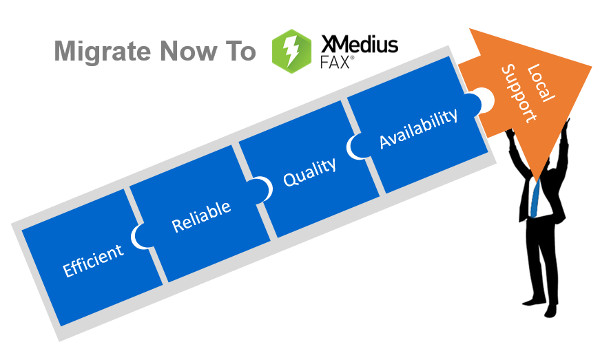
  • Migrating your Fax Server to XMEDIUSFAX

    Fax-over-IP is a critical component in the communications infrastructure of many organizations. It is optimized to secure and streamline their document workflows, and it helps them to achieve compliance with the security and privacy regulations that apply to their respective industry sectors.

    XMediusFAX® is an ideal FoIP solution. It is a single-source, software-only technology and includes its own patented T.38 protocol, the most reliable protocol for transmitting faxes over a VoIP network. Better yet, XMediusFAX® doesn’t require a third party to enable your fax infrastructure and our R&D team has fully mastered the software and can intervene quickly if any assistance is needed. Furthermore, XMediusFAX® features shared High Availability (HA) channels that replicate information in real time. Both of its servers are active, so should one fail, the other takes over until the malfunctioning server resumes its normal workload. This ensures an uninterrupted workflow.

    Because of all these critical benefits, the XMediusFAX® solution attracts a range of organizations that are interested in implementing a superior FoIP solution.

    However, switching over from another solution can raise some concerns. One that prospective customers most often express involves migrating and preserving their existing data. In response to this concern, the XMedius team has developed a tool to help our new customers migrate from their current database* to an XMediusFAX® server while preserving all of their fax records and user information.

    Would you like more information about the migration offer of your current Fax-over-IP solution to ours?

    *Conditions Apply

    E-mail us on sales@rincon.co.in for more information and we will be glad to assist you.