Tag: security

  • Network Services

    Network Services

    Our associates are specialists in networking and security with the experience gained over many years in the Enterprise, ISP and Satellite Service Provider sectors. Being a vendor-agnostic organisation, we can ensure giving a non-biased advice, with a focus on industry standards and best practices. The expertise is in design, implementation, maintenance, troubleshooting of topologies of all sizes.

    Some of the projects they have carried out include:

    • Replacing Huawei Firewalls for a Mobile Network Service Provider
    • Designing and implementation of Eight Data centres for a Satellite Service Provider across the world (Greece, Italy, USA, Canada, Australia and New Zealand)
    • Part of the team involved in designing and deploying Security solution for next generation Aircraft Tracking system co-funded by ESA
    • Migration and replacement of Cisco firewalls with Palo Alto Network Firewalls
    • Deployment of feature rich Palo Alto Firewalls in various parts of the network
    • Migration of HP NNM, Cisco Works, Cacti with Stablenet Network Monitoring solution and moving 3000 nodes across to the new platform
    • Integration of IMB’s Qradar SIEM solution in network for SOC team
    • Replacement of 65+ End-of-life equipment for UK’s leading Mobile Network Service Provider
    • Extensive experience in rolling out Network Best Practices by working closely with Cisco and Juniper for 5000+ devices for UK’s leading Mobile Network Service Provider
    • Preparing Bill of material, writing High Level, Low level and Physical Design documents, negotiating work package with sub-contractors and presenting Design Architecture changes to number of stake holders.
    • Securely connecting Local and Remote offices for various clients using IPsec VPN solution

    The team is fully qualified, holding accreditation with manufacturers such as Cisco (CCIE), Juniper (JNCIE), and Palo Alto (ACE), Huawei Firewall and switching, CEH (Certified Ethical Hacker) and ECSA (EC-Council Certified Security Analyst).

    The engineers can perform an overall health check of your network. They can map out and analyse all facets of your current infrastructure with the aim of identifying issues surrounding:

    • Network bottlenecks
    • Network loops
    • Security issues
    • Traffic segregation
    • Redundancy & resilience (physical & logical)
    • Traffic / resource monitoring

    Once the engineers are intricately familiar with your network, they can make recommendations based on any issues highlighted during the diagnosis stage and general findings which are based around best practices.

    These recommendations will be made formally available in a written report. This report will also outline a road map of required work as well as detailing findings. Each highlighted issue and associated work package is given a severity rating to allow you to take effective, timely, remedial action where necessary.

    The team can fully define, scope and plan your projects, perform regular checkpoint meetings to keep you up to date on progress and issues. They can highlight Risks and mitigations. Additionally they can document the deviations from the original plan.

  • Do Faxes Cost Your Organisation?

    How much does each fax cost your organization?
    Think again! You are in for a rude shock!

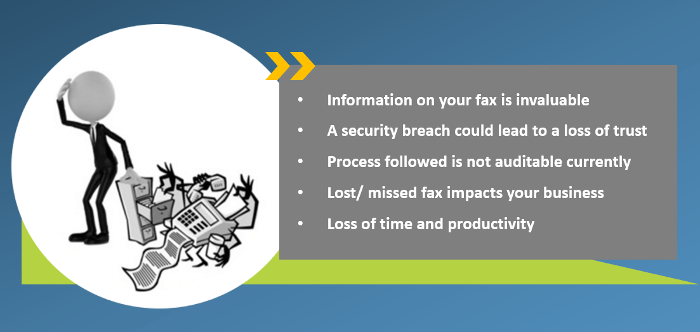
    • Information on your fax is invaluable
    • A security breach could lead to a loss of trust
    • The process followed is not auditable currently
    • Lost/missed fax impacts your business
    • Loss of time and productivity
  • Reblog: Going Beyond HIPAA: 5 HIPAA-Related Pitfalls And How To Avoid Them

    The Health Insurance Portability and Accountability Act (HIPAA) is a very complicated compliance standard to tackle. There are strict privacy requirements surrounding the handling of patient medical and personally identifiable information, but how these requirements are met is left largely up to the individual healthcare organizations. Add HIPAA’s requirements for portability and accessibility to the fact a given healthcare organization’s electronic medical records (EMR/EHR) system may not be able to directly communicate with another organization’s and exchanging protected information can get complicated.

    The complicated process of exchanging protected health information (PHI) opens the door to accidental HIPAA violations, and potentially worse, a full-scale data breach. To help, here are 5 common HIPAA pitfalls to avoid while you navigate the path to compliance:

    Insurance Claims Denial

    Every organization that needs to comply with HIPAA should be keenly aware of the costs of a data breach, but what happens if a violation or breach happens anyway?

    Organizations typically have some kind of insurance policy to protect against damages from HIPAA violations or data breaches, but it is not uncommon for them to have their claim denied over improperly filled out applications, a failure to maintain adequate security, or otherwise not meeting the requirements placed by the insurance company.

    Insurance providers may have security requirements that go beyond what is required by HIPAA. It is important for organizations to meet these requirements not only to ensure their insurance policy is valid in the event of a breach but because they can often help an organization shore up its security, helping to avoid a breach or violation in the first place.

    Lawsuits and Legal Expenses

    The annual cost of a Data Breach Report 2019 from IBM Security and the Ponemon Institute indicates one of the biggest expenses related to a data breach isn’t the fines from the violation itself, rather the “post-data breach response.” That is, everything related to helping customers affected by a breach, as well as costs associated with redressing the situation, paying reparations, and dealing with any legal fallout from partners.

    What this means is that while complying with requirements laid out by HIPAA and insurance policies is essential, it is also vital to ensure your organization complies with every other relevant law, standard, business associate agreement, or even contractual obligation. Considerations even extend to things like PCI DSS compliance if a given healthcare organization accepts or handles credit card payments, satisfying state laws for protecting patient and employee information, and ensuring the organization and its employees meet professional licensing requirements.

    There are multiple reasons for this. Not only does compliance with many of these requirements help bolster your organization’s security posture, but it also helps to ensure any available legal protections are applicable and works to mitigate liability if a HIPAA violation does occur. This in turn can help reduce the overall cost of the post data breach response.

    For example, if an organization contracted to handle payment processing for a major hospital suffers a data breach resulting in a HIPAA violation, the hospital may hold them responsible for damages if the payment processor failed to meet PCI DSS compliance, regardless if they were meeting the requirements for HIPAA compliance. On top of this, the payment processor may see their insurance claim denied over failing to maintain PCI DSS compliance.

    Hardware and Software Misconfiguration

    Setting up an IT environment is complicated in the first place. Add in HIPAA compliance requirements, contractual and insurance obligations, and meeting other applicable standards and legal requirements like the ones mentioned above, and it’s a recipe for confusion. Confusion, in turn, leads to mistakes.

    A best practice for mitigating this confusion is to identify all of the requirements for your IT environment, both in regard to the functions it needs to perform and the legal and security requirements it needs to meet. From there, generate a thorough checklist for every individual piece of hardware and software that needs to be implemented, being sure to include things like proper environment architectures, app security policies, and even steps for testing to ensure the environment and all of its components are functioning as intended.

    Falling Out of Compliance

    Basic logging and monitoring is a requirement of HIPAA, however, modern monitoring solutions can do more than meet HIPAA requirements. Many of these solutions can not only deliver valuable insights into usage trends in your IT environment, but many are capable of proactively identifying security risks. These risks can include misconfigurations, suspicious network activity, and applications or hardware that have fallen out of compliance or need a software update.

    Further, in the event of an audit or incident, a quality logging solution can help provide clear insight into user and environment activity. Detailed logs can help rapidly address the requirements of a compliance audit as well as in identifying the source of a data breach if one occurs.

    Insufficient Auditing

    An organization leveraging a quality logging and monitoring solution should not stop there, however. While it may deliver meaningful and actionable insights into your environment’s activity, audits remain the best way to assure ongoing compliance. Organizations may leverage internal compliance assessment teams and monitoring solutions, however, it is possible for organizations to erroneously believe they are compliant when they are not. As such, it remains a best practice to leverage an expert third party to conduct compliance and security audits, including for HIPAA.

    Every time a new piece of hardware or software is implemented, one of the last steps on the implementation checklist should be to audit the entire IT environment before making it live. An audit serves as a final check to ensure applications and hardware are properly configured, the environment is architected in the most efficient way. An audit can also check to ensure that the organization is in fact meeting all of the requirements and criteria for HIPAA and any other applicable legal requirements and security policies like those noted above. The audit can also check to ensure that security policies, procedures for implementing the policies, and evidence they’ve been implemented have been properly documented and that those policies have been updated as appropriate.

    If security gaps or any other issues are identified in this audit, the organization will then have a chance to remediate these issues before the environment goes live and the issues actualize into real problems. Organizations should leverage both regularly scheduled as well as random audits to help avoid any undetected error or issue that could result in a breach or falling out of compliance. Additionally, in the event of a breach or HIPAA violation, regular audits may help mitigate claims that a given organization was negligent in their security practices.

    The original article can be found here.

    For more information e-mail us at sales@rincon.co.in and we will be glad to assist you.

  • Data Security – a Look Forward into 2019

    [image src=”https://www.rincon.co.in/site/wp-content/uploads/2019/02/data-security-300×200.jpg” shape=”img-rounded”]


    As the new year begins, we sat down with Executive Vice President and CTO of XMedius, Sébastien Boire-Lavigne, and asked him to consult his crystal ball about what might be the big data security stories waiting to happen in 2019.

    Internet of Things: The Enemy Within

    The proofs of concept have been well established and documented, it is just a question of time before Internet of Things (IoT) attacks will make the next big headline.

    When Alexandru Balan, Chief Security Researcher at Bitdefender, presented at RSA 2018 how a simple smart plug could be exploited, I came to realize how much of a serious blind spot in our information security system IoT devices are in general and how much of a grave danger it is to everyone’s home network.

    “Non computer” devices are often perceived has having a lower risk profile than computers, but that may change fast in the next few months. In his presentation, Alexandru managed to easily discover millions of smart plugs over the Internet using an open API and then proved that the plugs could be infected to establish a persistent foothold to launch attacks from within whatever network they are in. That’s as bad as it gets.

    Don’t be deceived by their appearance, these are fully-operational headless computers. Once infected, IoT devices bypass normal security protections, like firewalls, and allow attackers to start probing network weaknesses and eventually move into systems with valuable information. Most IoT devices run some version of busybox, a Linux distribution targeted for embedded devices.

    So the real danger of IoT is not a hacker flipping on or off your lamps, making you hot in the middle of the summer, or playing some Danish death metal on your smart speaker at 3AM in the night (Ref: episode eps2.0_unm4sk-pt1.tc of Mr Robot), it’s invading your network. Networks are more vulnerable from the inside than from the outside, and this is particularly true for home networks.

    HOW AN IOT HACK COULD HAPPEN

    Imagine this scenario: let’s have a tradeshow booth for our fake company at the Gartner IT Symposium, targeting high-profile IT executives. Let’s give away smart plugs to everybody who gives us their business cards. That way, by carefully giving the smart plugs in a particular order, we can even know who got which plug. Odds are good that they will use the smart plugs at home, which is perfect for us, as there aren’t usually much intrusion detection systems (IDS) running on home networks.

    The end result? For the cost of some smart plugs and a trade show booth, an attack on the CIO or head of IT of a billion-dollar company can be executed from the comfort of his home network. This is an hypothetical attack scenario, but it is certainly not far-fetched and would be fairly easy to implement.

    SO WHERE DOES THAT LEAVE US?

    Realistically it is hard to believe that IoT device manufacturers will harden their $50 devices to the point where they can be trusted. Legislation like California’s “Security of Connected Devices” is certainly a step in the right direction, but frankly it doesn’t change the economic fundamentals of those “cheap headless devices”.

    The only legitimate solution then is a zero trust approach to IoT, IoT devices must be radically segregated from the rest of our networks, both at work and at home. Consumer network manufacturers should start having “default” configurations that include a secure zone explicitly for IoT devices, where they could not be used to attack other valuable assets on the network.

    Note to self: do not install smart cameras in bedrooms…

    Over Proliferation of Security Frameworks and Questionnaires, the Unbearable Cost

    Security framework and security questionnaires have existed for while now, but 2018 is an inflection point. The conjunction of the adoption of the Cloud and the integration of the global IT supply chain is multiplying the requirements for providers running security programs, unfortunately while delivering frankly little benefit to all parties.

    Before, few customers were requiring security certifications, so supporting customer requirements was not too much of a burden and a certification was nice to have. Those days are over, and customers are getting more sophisticated in managing the security requirements of their cloud suppliers. This is actually a good thing, it makes businesses and the internet as a whole a safer place. The problem lies in the multiplication of ad hoc security questionnaires and various security requirements.

    TOO MANY QUESTIONS THAT ARE ALL THE SAME

    Most security questionnaires are asking the same questions, but in different ways. This imposes a heavy cost burden on cloud providers. For example, The Cloud Security Alliance CAIQ questionnaire is certainly a worthy initiative. We spent several weeks filling it out, supplying meaningful answers and thorough notes. We can’t spend that kind of effort on “ad hoc” questionnaires.

    It would be to the benefit of all parties to use a standardized security Q&A system, so that everyone gets the most out of it. Of course, some industries may have specific requirements, but we should be able to construct a modularized approach to questionnaires that build one on each other.

    A FRAMEWORK FOR EVERY PROBLEM

    We’re also seeing the same phenomena with security frameworks. In the last 12 months we have been asked to demonstrate compliance with: SOC2, HIPAA, GDPR, ISO 27001/27017/27018, NIST 800.53, CSA, HiTrust, PCI-DSS, Fedramp, and CIJS. I’m sure there are several more around the corner.

    There is a need to standardize the whole tech industry onto a single global security framework that can be extended into specializations that address particular requirements of specific markets.

    I think that France’s healthcare services provider certification (HDS) is a good example of the right way to establish sectorial certification. They required compliance to ISO 27001, ISO 20000 and ISO 27018 along with 38 additional security controls specific to their sector. This a much sounder approach to the problem than building yet another security framework from A-Z.

    We need a universal security framework. I personally favor ISO 27001 and working on sectorial security control as an extension to the base system. This would significantly reduce effort to support a broad range of certifications, make cyberspace a safer place, so we can spend our time securing information assets instead of demonstrating the same thing over and over again.

    I will not be holding my breath though…

    The Empire Strikes Back… on Encryption

    Encryption. We take it for granted, but the truth is that our privacy and security are under attack, and not by some dangerous hackers, but by our own governments.

    Following the footsteps of the UK government, the Australian government just signed a law (the Telecommunications and Other Legislation Amendment bill) giving law enforcement far reaching rights to compel internet service providers to alter their security protections (i.e. encryption) so law enforcement may gain access to user data.

    While this may sound reasonable, it’s a Pandora’s box that is easy to open, but very difficult to close. Given the way encryption works, it is not possible to weaken it for the government without weakening it for all hostile parties. For example, if companies are forced to roll back end to end encryption and best in class encryption key management practices to allow government to intercept communications, everyone suffers from the weakened security.

    In most cases, the best way to build strong encryption schemes is to make sure that even the maker of that scheme cannot circumvent it. If the NSA was not able to protect “EternalBlue”, which ended up causing several billion dollars in damages around the world, can we really expect that service providers will be able to protect us with weakened encryption systems?

    It doesn’t stop there. In the US, the FBI is lobbying for legislation that would force tech companies to weaken encryption schemes on smart devices, and also fighting in court to force Facebook to weaken the encryption of Whatsapp.

    What do clipper chipskey escrow, backdoor or front door, and lightweight encryption have in common? These are bad schemes that hurt citizen privacy and security with no clear advantage to society. Personal information, healthcare information, and banking information should be protected by the best encryption schemes possible.

    In any case, it is wishful thinking to try to put 100 years of advancement in cryptography science back into its box. Determined parties will have the means to develop and use perfectly secure encryption software, obtained outside normal commercial channels, and keep their communications protected from the prying eye of governments. In contrast, law-abiding citizens will see their day to day activities put at risks for little to no benefits. While that may discomfort governments, encryption is here to stay. In the age of the internet, without encryption there is no freedom and without freedom there is no encryption. Countries restricting access to encryption says a lot on how much they really value the freedom and protection of their citizens.

    It is a battle that the tech industry must continue to fight for the benefit of all.

    Want to be better prepared for the security requirements of 2019?

    XMedius offers cutting edge secure data exchange solutions that can boost protections while facilitating easier compliance with privacy regulations.

    The original article can be found here.

    For more information e-mail us on sales@rincon.co.in and we will be glad to assist you.
  • Reblog: 4 Things You Might Not Know About HIPAA Compliance

    [thumbnail target=”_self” src=”https://www.rincon.co.in/site/wp-content/uploads/2019/01/Healthcare-1024×560.jpg”]

    HIPAA is an incredibly influential part of the US healthcare regulatory landscape. Because its focus is the security of electronic personal information, it’s no surprise that the law and its requirements continue to evolve as the tech landscape changes.

    While this is ultimately a good thing, ensuring that the law makes sense in regards to the resources available and challenges faced in healthcare IT, it can also make HIPAA compliance a bit of a moving target. What doesn’t change, however, is the extreme consequences of a security breach.

    1. It’s Not the Fines That Get You

    A HIPAA breach can deliver a serious blow to your organization’s financials, but the costs may not be coming from where you think. The requirement to publicize that the breach occurred can cause more damage than a government fine.

    [well type=””]

    “If you do the math and you look at an organization that has 10,000 records, that’s between $2 million and $4 million worth of risk. 25,000 records? Up to $10 million in risk. And 100,000 records mean $40 million in risk. Now, I’m saying risk because it’s not the cost of the breach itself. A study shows that about one-third of these numbers is the actual cost of the breach.

    The cost of the breach includes notifying patients and hiring lawyers. If it’s a big breach, you have to set up an 800-number and have people answering it. You may have to do credit monitoring. That’s about a third of these costs. What’s the other two-thirds? It’s the loss of business.”

    Mike Semel

    President & Chief Compliance Officer, Semel Consulting

    [/well]

    2. Inattention is No Excuse, Even If Nothing Bad Happens

    The law requires organizations to secure information from prying eyes, whether those eyes are there or not. Organizations are required to make sure all their systems are properly maintained, even if that means installing a completely new operating system (which may itself require new hardware).

    [well type=””]

    “HIPAA says that you have to have devices that are currently supported with patches and updates in order to be compliant.”

    Mike Semel

    President & Chief Compliance Officer, Semel Consulting

    [/well]

    3. HIPAA Breaches Can Even Come from Within

    It’s important to remember that HIPAA violations aren’t always caused by malicious outsiders, your own employees can be a source of trouble, either intentionally or unintentionally. It’s essential to remember that HIPAA requires only relevant staff have access to any given record. If a nurse looks at the diagnosis for a celebrity staying in another ward, that’s a violation. If your radiology department email’s a patient’s x-ray results to the wrong doctor, that’s a violation.

    Regular training and oversight are key to protecting your organization against threats from within, in addition to keeping bad actors out.

    4. A Key to Better Health Data Security Can Be Simplicity

    Because many data security solutions are cumbersome, it is common for staff to circumvent them by relying on insecure (but more user-friendly) consumer file-exchange solutions instead. The best way to keep this from happening? Make your security rules easier rather than weaker.

    If sending a document via Fax-Over-IP or a secure file exchange solution is as easy as sending an unsecured email, your employees are much more likely to do it. By making proper compliance the path of least resistance, you streamline workflows, reduce staff frustration, and better protect your organization.

    Ready to streamline regulatory compliance with XMedius secure document exchange solutions?

    The original article can be found here.

    For more information e-mail us on sales@rincon.co.in and we will be glad to assist you.
  • FileDirector Enterprise Solution

    [thumbnail target=”_self” src=”https://backend.rincon.co.in/wp-content/uploads/2017/10/document-automation-300×113.png”]

    Bringing documents into today’s world

    • Lower costs
    • Processes paper documents in the same way as digital documents
    • Unlimited users
    • Perfect integration in Microsoft Office
    • Automatic email recording directly from the email server

    FileDirector brings the future of company management and data distribution into today’s world. Our Electronic Content Management solution shortens the time required to organise and handle documents within an enterprise enormously. This noticeably more productive and more efficient way of working reduces costs significantly.

    In achieving this, FileDirector covers all the working stages that a document goes through in modern enterprises: from recording paper documents, or handling documents already in digital format, across search and retrieval to secure archiving of data – all functions are covered. Moreover, FileDirector is not limited to a single location: multiple servers can work together in a network, enabling enterprises to gain the benefits of FileDirector even when operating on a global footing.

    Security is massively important in all Electronic Content Management solutions – which is why FileDirector manages all access authorisations to documents, changes, access periods, automatic storage of documents and emails.

    Capturing information is a very quick process using FileDirector. Scanning was never easier, as the program works with most digital input devices and uses pre-definable scan profiles. Thanks to the integration of FileDirector in Microsoft Office, you and your staff can archive documents, tables and emails with a simple mouse-click.

    Indexing and sorting documents is handled manually or via OCR (Optical Character Recognition) zones in the document, via full text or barcodes. Index data can be imported via ODBC from other databases or files, or transferred automatically when importing or recording.

    Searching for documents could not be easier: using full text search, you can find words or even whole sentences in the document content or index fields. A single double-click is all that is needed to display the document – even if the application used to create the document is not installed on your computer, as FileDirector supports a wide range of file formats. It is easy to scroll through pages, to display miniature images of the pages as a preview, and to call up any previous version of something has been changed. It is also possible to open and view several documents simultaneously.

    Business Process Management sends documents to users, using predefined processes, with each user being required to trigger actions, such as accept/reject. This makes it an ideal tool for tasks such as processing invoices.

    Storage is no problem for FileDirector. Due to the usage of Microsoft SQL or Oracle databases FileDirector can handle millions of datasets and documents with ease.

    For more information e-mail us on sales@rincon.co.in and we will be glad to assist you.
  • FileDirector Express

    What small businesses have been waiting for:

    • Simple, fast, economic, express
    • Rent instead of buy – just pay for use
    • Up to 10 simlutaneous users
    • Local installation – local storage
    • Always the latest version
    • Compliance and security

    FileDirector express is the ideal Electronic Content Management solution for small businesses and start-ups. Simple to install, simple to set up, simple to use, and with no upfront costs. FileDirector express is the essential tool for your business, but without the capital commitment and you can evaluate FileDirector express 30 days free of charge.

    The benefits of an intelligent Electronic Content Management solution are self-evident. Documents will be captured, stored, managed and retrieved quickly and easily. You are able to rapidly access relevant information according to your needs. What’s more, staff will not waste time or money on duplicating or distributing documents. Scanning avoids all these unnecessary actions and gives you and your colleagues more time to concentrate on the essentials. On top of this, document storage costs are reduced as considerably smaller physical document storage space is required.

    What is just as relevant are factors such as better security control, and audit trail options. You decide at all times who has access to your documents. Then there is also the improvement in customer satisfaction, as a result of faster response times.

    A further – and not insignificant – argument for the use of FileDirector express is compliance with statutory requirements, since we help your organisation to minimise the financial or legal risks which can be caused by lost, damaged or improperly used information. Thanks to FileDirector, complying with the data protection provisions on retention periods and destruction of documents becomes child’s play.

    E-mail us on sales@rincon.co.in for more information and we will be glad to assist you.

  • Protecting Client Data During Tax Season

    Tax season means more business for financial institutions, but it also means higher risk of data breach! Find out what you can do to keep client data safe as business volume ramps up.

    Tax season is upon us, which means the volume of sensitive data being sent and received by accounting departments, tax practitioners, CPAs, banks, and other financial institutions goes up drastically. It should come as no surprise then, that it’s also the time of year that the rates of cyberattack and identity theft also rise. With the public’s growing awareness of the risk of cyberattacks, how you safeguard and transmit client data will have a significant impact on you and/or your institution’s reputation.

    Compliance regulations like the Sarbanes-Oxley Act have provided organizations with a solid framework for quarterly and annual financial submissions and require that companies have strong internal controls in place for handling all accounting data. The challenge is that these regulations are typically vague in their wording, and don’t go into detail on how companies of all sizes can strengthen their security protocols for day-to-day sensitive data transmissions. Check out our whitepaper for an in-depth look at SOX compliance including practical tips for IT professionals.

    If tax season has you worried in light of all the stories of cyberattacks and identity thefts that have been circulating over the past year, having a few security measures in place will help you rest assured that your client data is safe.

    Physical Security: Keeping Accounting Systems on Lockdown

    Your accounting system is the infrastructure that contains client’s confidential information and should be protected at all times. If it’s been a while since physical security of your systems has been reexamined, tax season is the perfect time to do a thorough analysis. Physical security should be your first priority; whether your system consists of a personal laptop or multiple servers and computers. In the event of an audit, proper physical security of your accounting systems will also help you avoid any regulatory compliance issues or penalties.

    It’s usually advised to keep accounting equipment in a room or area that can be locked to prevent unauthorized access. If you work for an organization with multiple exposed workstations, make sure that there are processes in place that limit who gets into the server room where sensitive data is stored. If you’re on a wireless internet connection, be sure to follow security protocols since most wireless networks are relatively easy for experienced hackers to breach.

    The workforce continues to evolve towards increased mobility. While this provides flexibility and accessibility, misplaced devices are also a top cause of data breaches throughout the world. It’s crucial to consider software that tracks the whereabouts of laptops and mobile devices. Kensignton, a leading desktop and mobile device accessories provider, recently reported that a laptop gets stolen every 53 seconds and 70 million smartphones are lost each year (and only 7 percent are recovered). 52 percent of devices are stolen from the workplace, and Kensignton states that a well-implemented security policy that includes investing in physical security can reduce these incidents by up to 85 percent.

    The ABV’s of System Security Best Practices

    You probably know your ABC’s, and if you’re interested in learning more about keeping client data safe during tax season, it’s important to learn your ABV’s. We are, of course, referring to authentication, backup, and virus protection; 3 pillars of security that when practiced in tandem can go a long way towards keeping sensitive information secure.

    Authentication: Make sure that all systems are not only password protected, but that you maintain a password policy. This should include using lengthy passwords and a system that requests password changes roughly every 90 days. For multiple users, set up various access levels to sensitive data to limit the risk of data misuse.

    Backup: It’s standard practice to backup data on an accounting system, usually on an on-premises server, or in smaller practices, an external hard drive. While these typically function well as backup options, there’s a huge risk of data loss when something happens, such as a fire or flood. Reputable cloud storage companies are a viable option that’s grown in popularity since they still allow you to perform overnight backups and restore backups while keeping your data safe from harm.

    Virus Protection: Most computers come with limited default antivirus or antimalware subscriptions that expire after a short time. Consider beefing-up your digital protection by upgrading to a stronger full-scope anitivirus software or at the very least, ensure that your current subscriptions are up-to-date. Most users usually consider antivirus software a given, but its easy to overlook subscription renewals with the long list of other work-related tasks on their plates. Some viruses can disrupt a system so severely that it may need to be replace, so consider this step a must.

    IP Solutions: Your Key to Secure File Transmissions

    Another major opportunity for data loss or data breach occurs during the sending and receiving of client data. Consider the risks associated with popular methods of file transmission: fax leaves a lot of room for human error and unless you’re using a highly encrypted email server, there are plenty of gaps that hackers can penetrate during email transmissions.

    If you’re receiving a higher volume of client data during tax season and are looking for a way to guarantee that files are secure both in transit and at rest, a secure file exchange solution could be the perfect fit.

    XMediusSENDSECURE offers robust security features with an incredibly user-friendly interface. It doesn’t require clients to have an account, and you can choose how clients authenticate themselves (via phone, email, or SMS) when sending them files, which ensures that all data is received by the right recipient. What’s more is that SendSecure integrates seamlessly with Outlook so that users can send and receive files directly from the platform they’re comfortable with, and with next-level security. Its easy-to-use interface requires minimal training and virtually no downtime, so you can incorporate it into your security plan without missing a beat during tax season.

    Considering an IP solution that takes care of added security features so that you don’t have to? Speak with an expert today about how XMediusSENDSECURE can work for your business.

    To learn more contact us sales@rincon.co.in

  • Reblog: Ways to Ensure Secure Communication Inside Your Business

    secure-communication

    As threats to data security become more widespread, the need to standardize solid cybersecurity measure in also becomes more crucial.

    In a recent report by CyberSecurity Ventures, it was revealed that global annual cybercrime will grow from $3 trillion in 2015 to $6 trillion annually by 2021 – encompassing damage and destruction of data, stolen money, lost productivity, theft of intellectual property, theft of personal and financial data, embezzlement, fraud, post-attack disruption to the normal course of business, forensic investigation, restoration and deletion of hacked data and systems, and reputational harm.

    With the whopping amount of damage that they can cause, it’s safe to assume that hackers these days don’t seem to bother selecting their targets – even a local café could suffer from the same detrimental effects of a data breach as bigger companies.

    The key to ensuring effective cyber security in business starts with secure communication framework. By keeping all the communication channels of your business secure, you’ll be able to make sure that all data being sent by your employees in and outside your business premises is protected against unauthorized access and manipulation.

    Here are few ways to achieve a secure communication framework in your business.

    1. Ensure Buy-in From Key Stakeholders of the Business

    The first and most important step in achieving secure communication is to make sure that all the stakeholders in the organization are on the same page and accepts that cyber security is a serious matter you cannot afford to ignore.

    These stakeholders include:

    • Cyber security team
    • Outside incident response team,
    • Chief Information Officer, Chief Security Officer
    • Business executive management (CEO, CFO, COO)
    • General Counsel
    • Board of Directors
    • Employees and support staffs
    1. Develop Clear Security Policies

    Based on a risk assessment conducted by your cyber security team, you must quickly develop policies for communication. These policies govern exactly who can access, use or receive which type of content, and who will oversee enforcement actions for violations of these policies.

    These policies should cover key security topic issues as:

    • Security risk management
    • Critical asset management
    • Physical security
    • System and network Management
    • Authentication and authorization
    • Access control
    • Vulnerability management
    • Incident management
    • Awareness and training
    • Privacy
    • Ensure that the intent of each policy is reflected in the standards, procedures, practices, training, and security architectures that implement it.
    1. Establish a Monitoring and Enforcement Team

    Having a separate team who will monitor and enforce communication policy adherence is crucial to the protection of confidential information assets being communicated over various channels. There must be control point in place to track information usage and traffic, so you can verify compliance with information distribution policies and perform enforcement actions for violation of those policies.

    With the amount of electronic communication taking place in modern businesses, your chosen communication platforms should have a monitoring system that will allow you to detect failed access of password hacking, stop unauthorized app usage, and track service availability to ensure high SLA compliance.

    1. Use a Secure Enterprise Text Messaging Platform

    The need for a reliable and secure text messaging app is often overlooked in many companies and organizations. With 80% of professionals currently using text for business-purposes, it’s only imperative for companies and organizations to have their employees use secure messaging service for all work-related purposes.

    As mobile workforce continues to rise, using a platform that will allow an employee to communicate work-related details with his/her colleagues with less risk to data theft is a way to achieve productivity in the workplace as well. With this platform, you will be able to monitor all the conversations being sent through the app, and remotely delete the message if ever the user’s device gets lost or stolen.

    These added benefits make it possible for your workforce to work collaboratively outside your business without running the risk of being intercepted by unauthorized users.

    Protecting confidential information doesn’t start in your enterprise database but on communication channels that connect with it, such as your mobile messaging app. To protect your valuable and sensitive business data, everyone must understand their roles in maintaining cyber security in the workplace, and uphold their duty on ensuring safe and secure communication at all times.

    The original article can be found here.

    To learn more, contact us on sales@rincon.co.in

  • Reblog: 3 Major Data Security Risks Every Business Should Know About

    Let’s face it – regardless of size and industry, the success of any organization relies on sensitive data. In 2016, news and media outlets were flooded with stories about cyber attacks – from the personal records of nearly 30,000 FBI and Department of Homeland Security workers’ personal records getting hacked, to dozens of celebrities’ private photos being leaked online. Terms like data security and cybersecurity that were once reserved for IT and security professionals became household names. Just last month, what’s considered to be the biggest ransomware attack in history hit tens of thousands of computers all over the world, disrupting businesses of all sizes.

    With a growing public awareness of the data security risks organizations are faced with, companies of all sizes are under more pressure than ever to keep operations running smoothly without any interruptions from cyber attacks and other data security incidents.

    The truth is that when organizations lose sensitive data, they face an extensive list of liabilities. Costs associated with data breaches can include reimbursement to customers, data recovery fees, and even worse – legal fines. Perhaps the worst consequence of a data breach is that it damages an organization’s reputation. Research conducted by Unisys Corporation revealed that the majority of people would not only lose faith in an organization in the event of a data breach, they’d stop doing business with them altogether. Who can blame them? When cyber attacks and other types of data breaches occur, it’s the public’s health records, credit card numbers, and more that are at stake. Let’s take a look at some of the most prevalent data security risks affecting businesses in 2017, and examine a few ways that organizations can fight back and take their data security to the next level.

    1. Employees Don’t Know How to Protect Data

    Up until recently, security skills in the workplace wasn’t a topic of discussion, much less part of a standard employee training regimen. Most people just assume that their organization’s IT department has the whole “data security” thing covered. It’s safe to assume that unless we work for a company specializing in IT security, the average worker goes about their day handling and sending sensitive data without thinking about hackers or data loss. It’s actually the lack of security awareness and skills that makes organizations an easier target for hackers or disgruntled employees who have access to networks and admin accounts.

    When organizations implement an information security and risk management (ISRM) strategy, it raises awareness and helps everyone to do their part. An ISRM strategy will look different from organization to organization, but a solid internal strategy involves identifying vulnerabilities and putting a few best practices in place. For example:

    Mandatory compliance training for all employees in environments where protected health information (PHI) and personally identifiable information (PII) changes hands regularly. That’s right; not just doctors, administrators, mortgage brokers, and account managers – all employees.

    Training sessions that teach employees best practices such as managing passwords for various devices, locking workstation screens when leaving your desk, the proper handling/destroying of paper documents, or any other small actions that make a big difference when it comes to keeping sensitive data protected.

    Internal vulnerabilities are one of the biggest threats facing sensitive data, and security training and skills growth in the workplace must be ongoing if organizations want to reduce the risk of data breaches.

    2. Fax Machines aren’t Secure Enough to Protect your Data

    When most people hear the word fax, they picture a bulky, outdated technology, but the truth is that many organizations – from schools to healthcare clinics and government offices – use it on a daily basis. Fax technology has certainly come a long way, with organizations now able to send and receive faxes on multifunction printers (MFPs) that also serve as scanners, printers, etc. But even though faxing as we know it has evolved quite a bit, it still relies on physical machines to transmit sensitive data.

    Fax machines, in any shape or form, require physical maintenance and are subject to human error. In larger organizations, entire departments may be working off a single centralized machine in order to send and receive important data. Not only does this bottleneck the workflow, it increases the likelihood that sensitive documents are left lying around in the open. Now take this likelihood and imagine the risk involved when two or more organizations send each other data via fax. Even if you can be sure that all of your organization’s physical, network, and process security measures are in place, can you say the same about your recipients? Certain regulations, such as the Health Insurance Portability and Accountability Act (HIPAA) that set the standard for protecting sensitive data in healthcare, require that subcontractors and business associates must also be in compliance.

    Increasingly, organizations of all sizes are choosing to transition over to cloud faxing solutions. When you fax online using software that communicates with fax machines, MFPs, and also faxes directly to a recipient’s email, you ensure that faxes get exactly where they need to go. You eliminate much of the risk associated with paper documents lying around and falling into the wrong hands. As an important bonus, cloud fax solutions are built with the robust security features that help organizations maintain HIPAA compliance or meet many other industry regulations that may apply.

    3. Email Isn’t as Secure as you Think

    It’s no secret that email is the most prevalent method of communication used in business today. Thanks to the internet, we are sharing more than ever, making email an inexpensive and highly effective business tool. It’s so prevalent that for many of us, “catching up on emails” can become a challenge on any work day, no matter which industry we may work in.

    Some practices rely solely on email to send and receive sensitive data. Email is used all the time to send sensitive information like purchase orders, patient information, debit receipts – and the list goes on. Email is also readily available on mobile devices, making it a more accessible tool than ever. While email is rapid, effective, and universally used, it is inherently non-secure. This might best be summed up in an article from Digital Trends:

    “Email isn’t secure because it was never meant to be the center of our digital lives. It was developed when the Internet was a much smaller place to standardize simple store-and-forward messaging between people using different kinds of computers. Email was all transferred completely in the open – everything was readable by anyone who could watch network traffic or access accounts (originally not even passwords were encrypted). Amazingly, email sent using those wide-open methods still (mostly) works.” Read the full article here.

    With this in mind, IT professionals work hard to protect communications from within their organizational infrastructures. One of the best ways to do this is by using encryption, which scrambles email content until its unlocked by a recipient. Encryption can be done on the level of servers, networks, and individual messages. The downside of encryption is similar to security issue when using traditional fax: efforts might be made on your organization’s end to keep data secure, but can you be sure about your recipients? Since most people on the workforce manage dozens if not hundreds of email contacts, the answer is probably not.

    A secure file exchange solution offers a basic way to get sensitive files where they need to go while protecting their confidentiality and availability. Secure file exchange platforms that integrate with your email are an easy-to-use alternative for sending sensitive data. Some use double encryption, which requires recipients to use a key that’s generated when a transfer is initiated as an additional security measure. While designed to be user-friendly, the right secure file exchange platform will also come with plenty of advanced management, auditing and security features so that administrators can customize it to their organization’s specific needs.

    The original article can be found here.

    Looking for a secure file transfer solution that will help your organization save time and money while keeping you in regulatory compliance? Contact us: sales@rincon.co.in